-
-
Notifications
You must be signed in to change notification settings - Fork 2k
en deploy astrbot btpanel
BT Panel is a secure, efficient, and production-ready Linux/Windows server operation panel.
AstrBot has been published to BT Panel's Docker App Store, supporting one-click installation.
If you haven't installed BT Panel yet, please refer to Install BT Products for one-click installation.
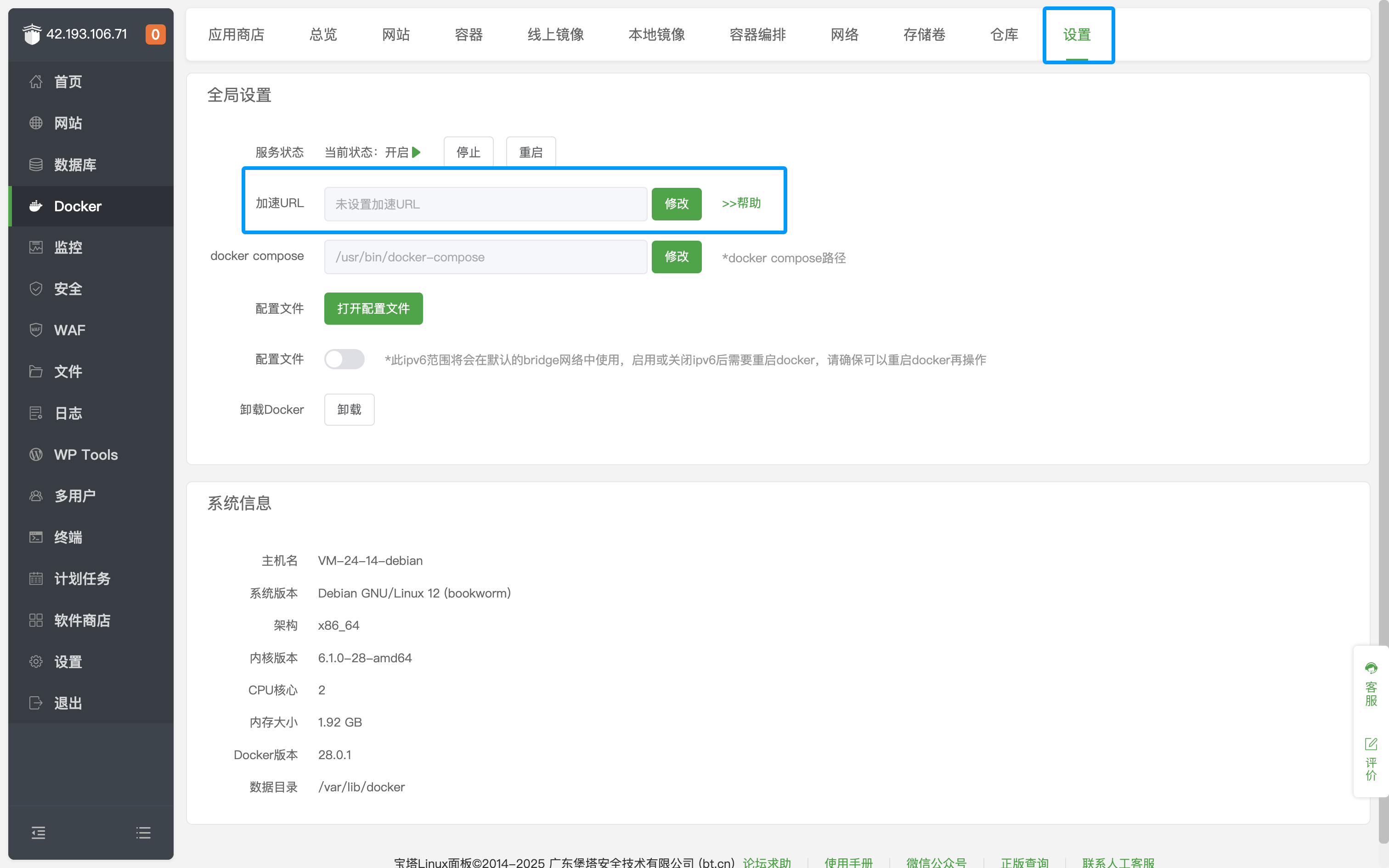
After entering the BT Panel page, click Docker on the left sidebar, click Settings, and modify the Acceleration URL.
Go to Docker's App Store and search for AstrBot, as shown below.
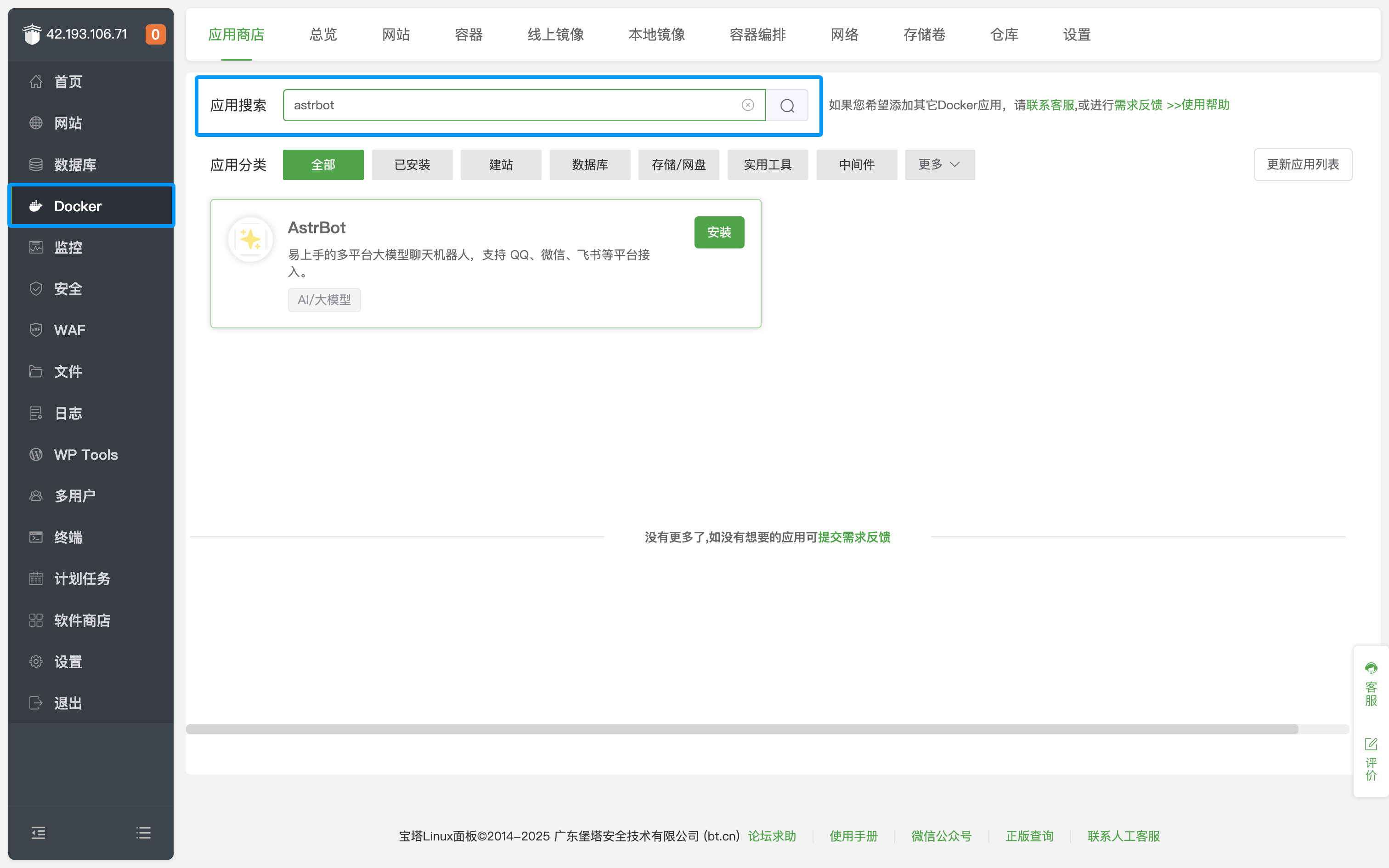
Click Install and wait for the installation to complete.
After successful installation, click Security on the left sidebar and open the corresponding AstrBot port (default is 6185).
If you are using cloud servers from providers like AWS, Alibaba Cloud, Tencent Cloud, etc., make sure their security groups also allow the corresponding port.
Visit http://IP:6185 to access the AstrBot dashboard.
Tip
By default, the above method only opens port 6185. If you need to deploy messaging platforms, you need to additionally open the corresponding ports. Click Container in the top bar, find the AstrBot container, click Manage, click Edit Container, and add the corresponding ports.
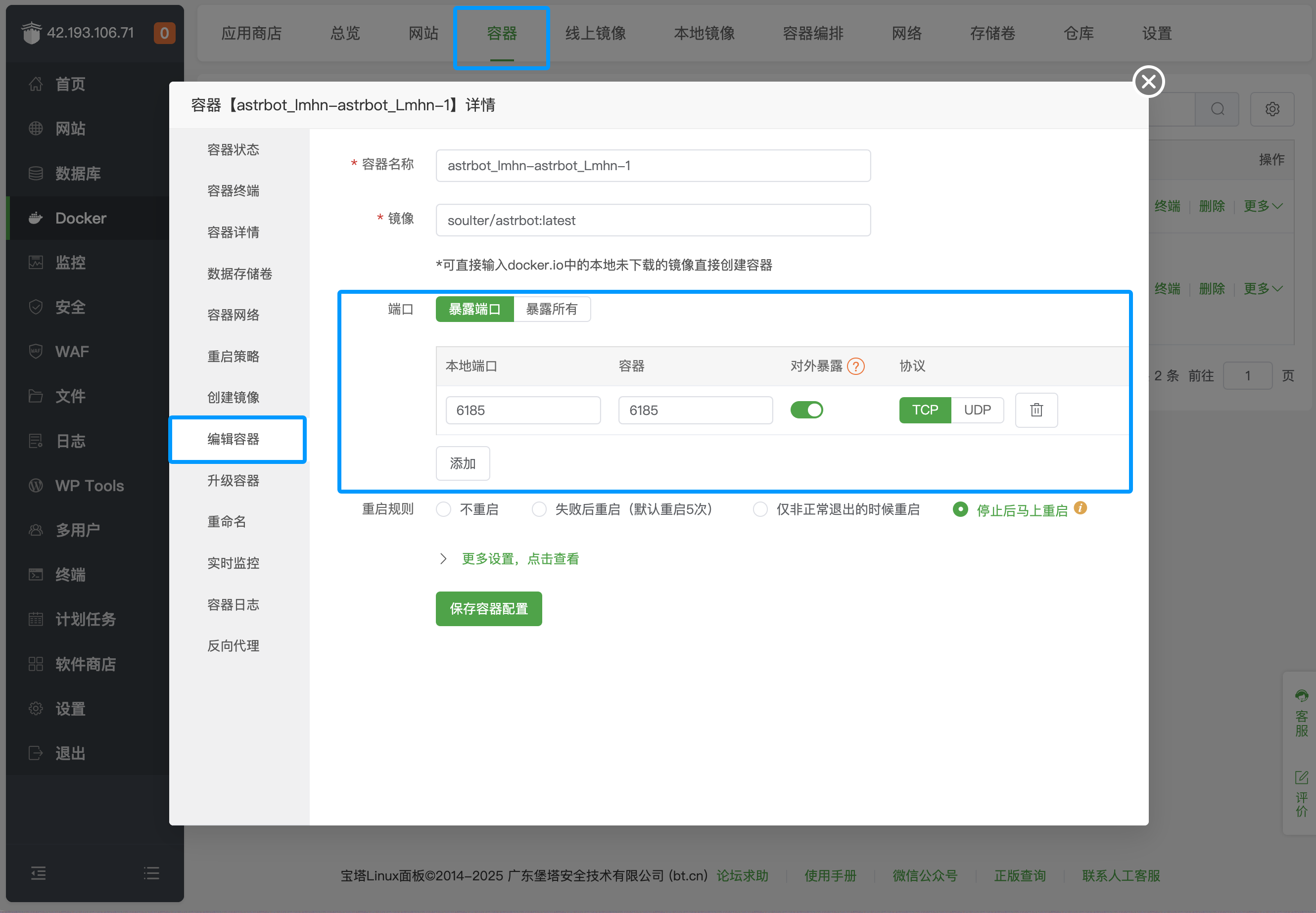
For specific messaging platform port mappings, refer to the table below:
| Port | Description | Type |
|---|---|---|
| 6185 | AstrBot WebUI default port |
Required |
| 6195 | WeCom default port |
Optional |
| 6199 | QQ Personal Account(aiocqhttp) default port |
Optional |
| 6196 | QQ Official API(Webhook) default port |
Optional |
Platforms not listed do not require additional port opening.
- 首页
- 文档入口
- Top Level
- community events
- deploy
- dev
- others
- platform
- 接入 OneBot v11 协议实现
- 接入钉钉 DingTalk
- 接入 Discord
- 接入 Kook
- 接入飞书
- 接入 LINE
- 接入 Matrix
- 接入 Mattermost
- 接入 Misskey 平台
- 接入 QQ 官方机器人平台
- 通过 QQ官方机器人 接入 QQ (Webhook)
- 通过 QQ官方机器人 接入 QQ (Websockets)
- 接入 Satori 协议
- 接入 server-satori (基于 Koishi)
- 接入 Slack
- 接入消息平台
- 接入 Telegram
- 接入 VoceChat
- AstrBot 接入企业微信
- 接入企业微信智能机器人平台
- AstrBot 接入微信公众平台
- 接入个人微信
- providers
- use
- Home
- Docs Entry
- Top Level
- config
- deploy
- Deploy AstrBot on 1Panel
- Deploy AstrBot on BT Panel
- Deploy AstrBot on CasaOS
- Deploy AstrBot from Source Code
- Community-Provided Deployment Methods
- Deploy via Compshare
- Deploy AstrBot with Docker
- Deploy AstrBot with Kubernetes
- Deploy AstrBot with AstrBot Launcher
- Other Deployments
- Package Manager Deployment (uv)
- Installation via System Package Manager
- Preface
- dev
- ospp
- others
- platform
- Connect OneBot v11 Protocol Implementations
- Connect to DingTalk
- Connecting to Discord
- Connect to KOOK
- Connecting to Lark
- Connecting to LINE
- Connecting to Matrix
- Connecting to Mattermost
- Connecting to Misskey Platform
- Connect QQ Official Bot
- Connect QQ via QQ Official Bot (Webhook)
- Connect QQ via QQ Official Bot (Websockets)
- Connect to Satori Protocol
- Connect server-satori (Koishi)
- Connecting to Slack
- Messaging Platforms
- Connecting to Telegram
- Connect to VoceChat
- Connect AstrBot to WeCom
- Connect to WeCom AI Bot Platform
- Connect AstrBot to WeChat Official Account Platform
- Connect Personal WeChat
- providers
- 接入 302.AI
- Agent Runners
- Built-in Agent Runner
- Connect to Coze
- Connect to Alibaba Cloud Bailian Application
- Connect to DeerFlow
- Connect to Dify
- Connect AIHubMix
- coze
- dashscope
- dify
- 大语言模型提供商
- NewAPI
- 接入 PPIO 派欧云
- 接入 LM Studio 使用 DeepSeek-R1 等模型
- Integrating Ollama
- Connecting to SiliconFlow
- Connecting Model Services
- Connecting to TokenPony
- use
- Agent Runner
- Agent Sandbox Environment ⛵️
- astrbot sandbox
- Docker-based Code Interpreter
- Built-in Commands
- Computer Use
- Context Compression
- Custom Rules
- Function Calling
- AstrBot Knowledge Base
- MCP
- AstrBot Star
- Proactive Capabilities
- Anthropic Skills
- Agent Handoff and SubAgent
- Unified Webhook Mode
- Web Search
- Admin Panel


