Use a Raspberry Pi Pico as a desktop multimedia knob with three modes:
- media volume and play/pause
- mouse wheel and click
- brightness shortcuts
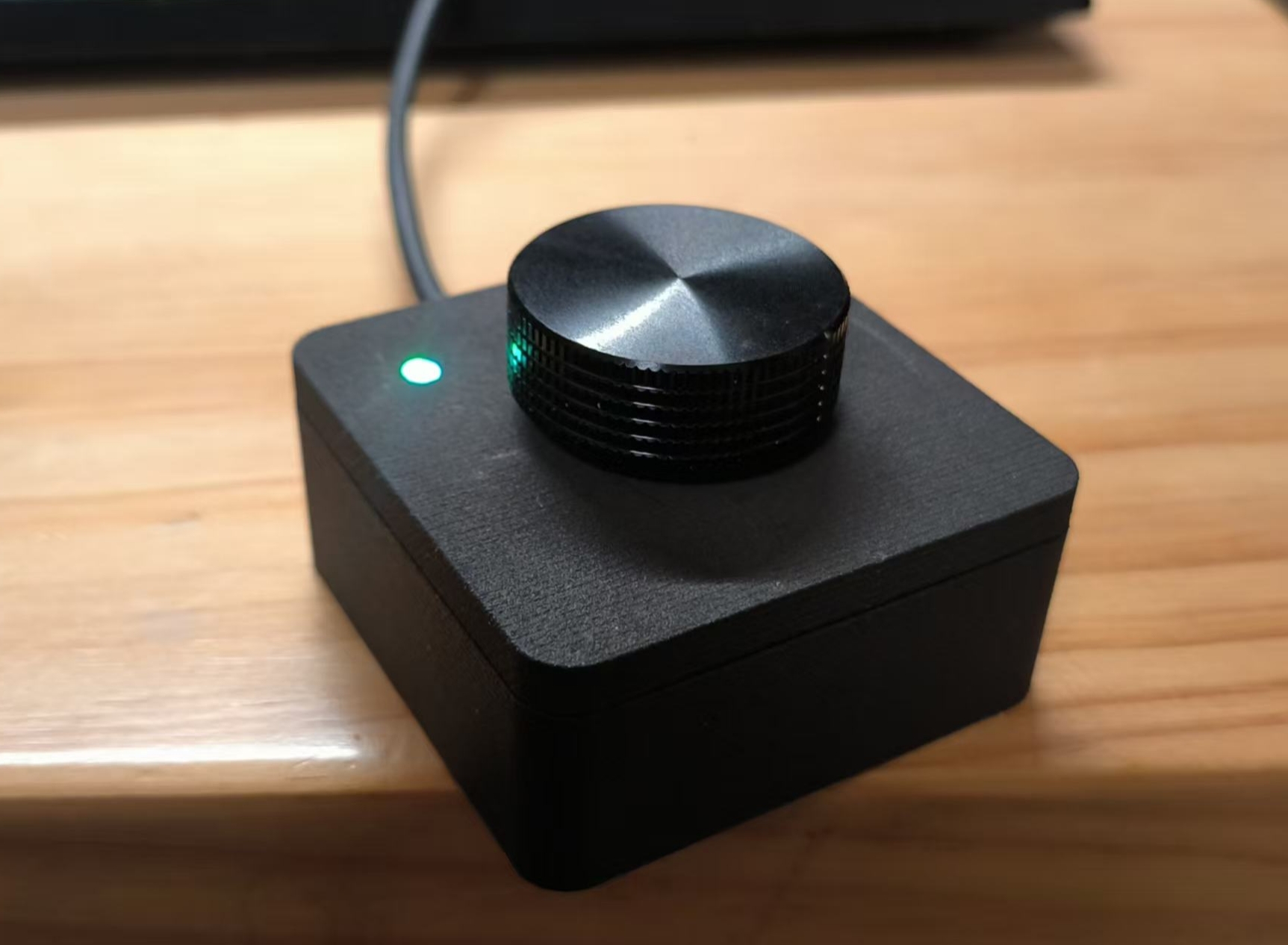
This project is based on Xitee1/multimedia-knob and keeps the original hardware idea while adding long-press mode switching, RGB mode indication, and button-handler support.
- 3 operating modes with RGB color feedback
- short press, double press, long press, and hold support
- USB HID output for consumer control, keyboard, and mouse
- write-protected default boot flow for safer daily use
- Raspberry Pi Pico
- KY-040 rotary encoder module
- 5050 SMD RGB LED module
- LDT3.0 light guide column 3 mm, 3.0-2.54 mm
- Knob cap with 6 mm D-port
CLK_PIN->GP2DT_PIN->GP3SW_PIN->GP4GND->GND+->3V3(OUT)
R->GP20G->GP19B->GP18GND->GND
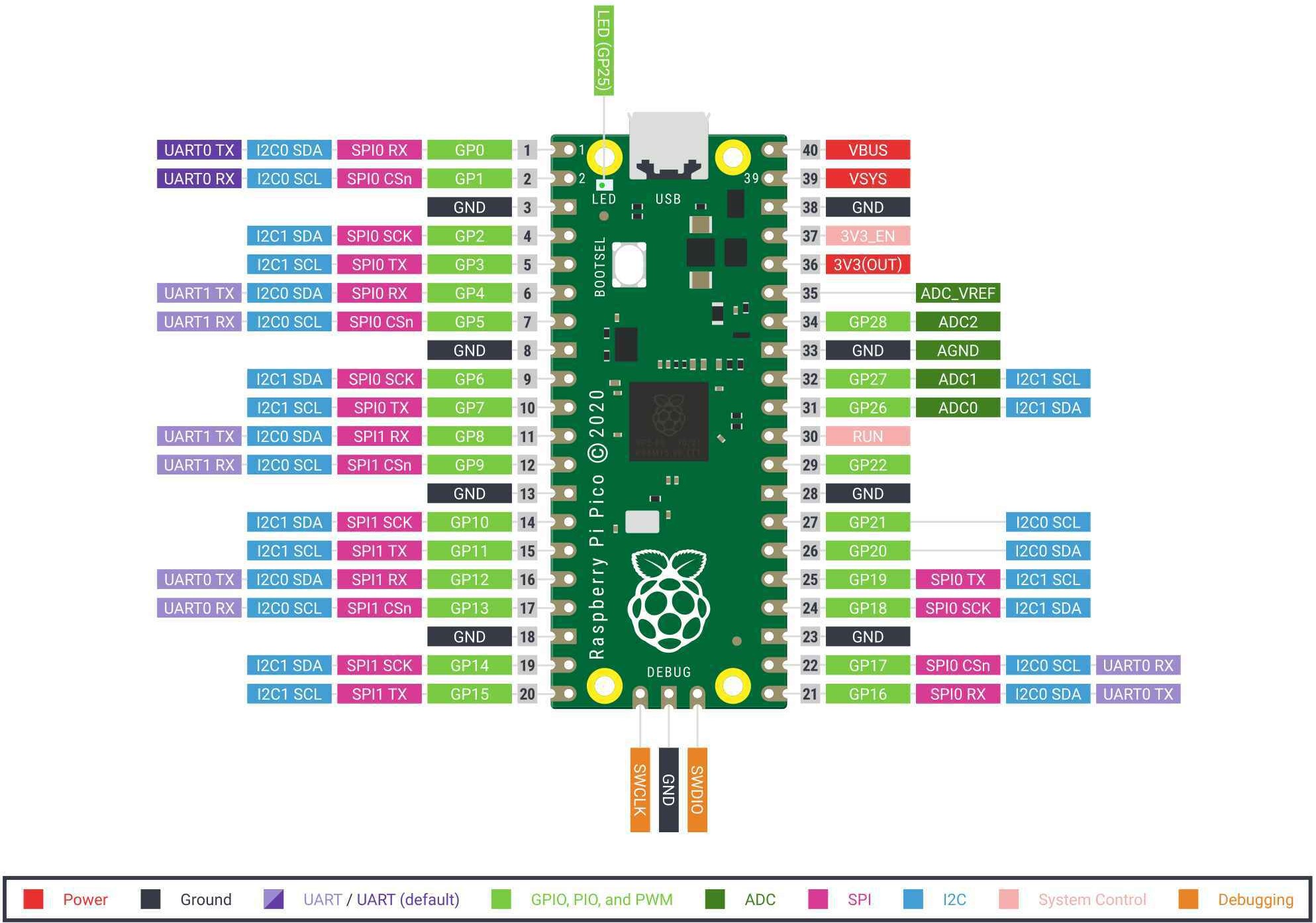
pico/boot.py: decides whether the CIRCUITPY drive is exposedpico/code.py: firmware entrypoint and event looppico/config.py: pin mapping, LED colors, and timing constantspico/actions.py: HID actionspico/modes.py: mode-to-action mappingpico/runtime.py: mode state, LED updates, and error recoverypico/lib/: bundled CircuitPython libraries required by the firmware
- Download the Raspberry Pi Pico CircuitPython UF2.
- This repository includes
uf2/adafruit-circuitpython-raspberry_pi_pico-en_US-9.2.2.uf2, which matches the currently bundled firmware dependencies. - Plug in the Pico while holding the encoder button so the board mounts as a writable drive.
- Copy the UF2 file to the Pico boot drive.
- After reboot, copy the contents of the
pico/directory to theCIRCUITPYdrive. - Replug the Pico and verify the knob starts normally.
The firmware currently expects CircuitPython 9.2.2 on Raspberry Pi Pico.
Bundled dependencies in pico/lib/:
adafruit_hid/*adafruit_rgbled.mpybutton_handler.mpy
Notes:
- These
.mpyfiles are version-sensitive and may need to be replaced if you upgrade CircuitPython. button_handler.mpycomes from CircuitPython_Button_Handler.- The repository stores the
.mpyfiles directly so the board can be flashed without an additional dependency download step.
- Normal power-up:
CIRCUITPYis disabled and the knob runs normally. - Hold the knob button while plugging in:
CIRCUITPYstays enabled for file updates. - In write mode, the RGB LED is solid red.
- Mode 0, blue: volume up/down on rotation, play/pause on short press, mute on double press
- Mode 1, magenta:
mouse wheel on rotation, left click on short press,
COMMAND+Lon double press, then mode advances - Mode 2, green:
brightness up/down on rotation, no short-press action,
ENTERthen9287thenENTERon double press, then mode advances - Long press: advance to the next mode
- The board does not show up as
CIRCUITPY: unplug it, hold the encoder button, and plug it in again - The knob boots but editing files is not possible: you likely started in normal mode, not write mode
- HID behavior is wrong after a CircuitPython upgrade:
replace the
.mpylibraries inpico/lib/with versions built for the installed CircuitPython release - Mode 2 behaves unexpectedly on your computer: that mode uses a host-specific keyboard sequence and may need customization for your environment
- Original project: Xitee1/multimedia-knob
- Video tutorial: magi YouTube tutorial
- 3D print case: Thingiverse case