



| 🌟 If you find this project useful, please star it on GitHub! 🌟 |
CO2-Gadget is an advanced, feature-rich firmware for ESP32-based CO₂ monitors and air quality meters. It supports a wide range of CO₂ sensors, particulate matter (PM) sensors, environmental sensors, displays (TFT, OLED, E-Ink), and communication protocols (WiFi, BLE, MQTT, ESP-NOW). Whether you're building a custom air quality monitor or flashing a commercial board, CO2-Gadget offers enterprise-grade features in a compact embedded package.
Current version: v0.16.015-beta —
developmentbranch. See CHANGELOG.md for full release history.
This repository is primarily aimed at developers and advanced users. If you're an end user looking to install the firmware on your device, visit the CO2 Gadget page for pre-built binaries, one-click browser installation, and detailed guides — no compilation required.
📚 Guides available: WiFi, MQTT & Home Assistant, BLE/MyAmbiance, ESP-NOW, Low Power, Calibration, Outputs, Web UI, Sensors, Installation (Spanish, English coming soon).

- 7+ CO₂ sensor families — Sensirion SCD30/SCD40/SCD41, Senseair S8 LP, Winsen MH-Z19 (A/B/C/D/E), Cubic CM1106 & CM1106SL-NS (ultra-low power)
- Particulate matter (PM) — auto-detected via CanAirIO sensorlib (SPS30, SN-GCJA5, Plantower, SDS011, IKEA Vindriktning, etc.); PM1.0, PM2.5, PM4.0, PM10 published via MQTT with Home Assistant Discovery
- Environmental sensors — BME280, BMP280, BME680, SHT31, AHT10, AM2320, and more
- Sensor auto-detection via CanAirIO sensorlib — plug and play
- TFT color displays — ST7789 (135×240, 240×240, 320×170), ST7735
- OLED displays — SSH1106, SSD1306 (128×64 I2C)
- E-Ink displays — DEPG0213BN (2.13″), GDEM0213B74 (2.13″), GDEW0213M21 (2.13″), GDEM029T94 (2.9″), GDEH0154D67 (1.54″), GDEM029C90 (2.9″)
- Fully functional without display — all features accessible via web UI, serial, BLE, or MQTT
Premium web UI hosted directly on the ESP32 with:
- Dark/light mode with system preference auto-detection and manual toggle (persisted via
localStorage) - Responsive design — hamburger nav on mobile, fluid layout on desktop
- Card-based layout with subtle shadows, rounded corners, and Apple-style typography
- Interactive charts page — historical CO₂/temperature/humidity data with date filtering and CSV/JSON export (powered by Chart.js)
- Dedicated calibration page — live CO₂ readings with Forced Re-Calibration (FRC) form
- Low Power configuration page — 4-tab interface for Display, Bluetooth, MQTT, and ESP-NOW thresholds
- Status page with colored feature badges, RSSI, uptime, and real-time sensor values
- SVG tooltip icons — consistent rendering across all browsers
- TFT screenshot capture — web endpoint
GET /screenshotfor remote display debugging
Two power modes, switchable at runtime without reboot:
- HIGH_PERFORMANCE — continuous operation, no deep sleep, all radios active
- LOW_POWER — deep sleep with configurable wake cycles, per-cycle WiFi/BLE/MQTT enable
- Configurable wait time before first deep sleep entry
- WiFi connect every N cycles (save power between MQTT publishes)
- Display redraw every N cycles
- Wake-up reason tracking (timer, GPIO, touchpad)
- Boot and wake counters preserved in RTC memory
- Automatic display off on battery with configurable timeout
- Wake display on CO₂ alert when crossing the warning threshold
- TDISPLAY_S3 deep sleep validated with ESP32-S3 deep sleep support
- TTGO T-Display power sequencing optimized for minimal deep sleep current
- RTC memory corruption workaround — wake flags reloaded from NVS on every wake cycle
| Protocol | Function |
|---|---|
| WiFi | Web server (REST API), MQTT, OTA updates, Captive Portal |
| BLE | Sensirion MyAmbiance App (iOS/Android) — real-time data, history download, WiFi configuration, SCD4x calibration |
| BTHome v2 | Home Assistant BLE auto-discovery — zero-config, no MQTT/WiFi needed. Encrypted (AES-CCM), wake-aware, 10 selectable measurements with smart byte-budget. Independently togglable from Sensirion MyAmbiance. |
| MQTT | Publish measurements, battery, alarms; receive remote commands; Home Assistant Discovery (auto-config) |
| ESP-NOW | Long-range, low-power Espressif protocol for mesh/gateway setups |
| HTTP/REST | Full web API for configuration, sensor data, system status |
| Improv Serial | One-step WiFi configuration from serial terminal |
| Captive Portal | WiFi setup via browser on first boot |
- On-screen menu — full device configuration via push buttons (TFT/OLED/E-Ink)
- Web-based management — all settings configurable from any browser
- Serial console — text-based menu over USB
- BLE configuration — WiFi credentials and calibration from MyAmbiance App
- MQTT remote commands — calibration and pressure settings over the air
- ThresholdManager library — NVS-persisted thresholds (absolute + percentage) for CO₂, temperature, humidity; gates MQTT/BLE/ESP-NOW publishing to save bandwidth and power
- Datasheet-compliant warm-up sequence — per-sensor warm-up (readings + time) before applying field calibration
- Forced Re-Calibration (FRC) — via web page, serial menu, on-screen menu, BLE, or MQTT (400–2000 ppm range)
- Ambient pressure compensation — SCD30 and SCD4x with mbar/hPa support
- Calibration warm-up across deep sleep — progress preserved in RTC across sleep cycles
- CM1106 continuous mode — pauses deep sleep automatically during calibration (needs continuous operation)
- Unified output system —
CO2_Gadget_Outputs.h(single include for Buzzer, NeoPixel, GPIO relays) - GPIO relays — configurable orange/red threshold outputs with hysteresis
- RGB LEDs — color-coded air quality indication
- NeoPixel (WS2812B) — addressable RGB/RGBW LED strips (configurable count)
- Buzzer — configurable tone (300–2000 Hz) and duration (50–300 ms) for CO₂ level alerts
- Hysteresis — prevents output chatter (configurable PPM thresholds)
- Over-the-air firmware updates via ElegantOTA (async mode)
- Web-based upload from the Preferences page (Maintenance card)
- Circular buffer — in-memory data history for web charts (configurable capacity up to 1440 samples)
- BLE history — downloadable via MyAmbiance App to smartphone (configurable interval)
- CSV/JSON export — from the web Charts page
- Configurable intervals — measurement, sampling, history, and MQTT publish intervals independently configurable
- Accumulated uptime — retained across deep sleep cycles (not reset on wake)
The project supports multiple ESP32 boards with pre-configured GPIO mappings. Adding support for a new board is straightforward — just define the pins in platformio.ini.
| Flavor | Chip | Display | Notes |
|---|---|---|---|
| TTGO_TDISPLAY | ESP32 | TFT 240×135 (ST7789) | Compact all-in-one with buttons, battery support |
| TTGO_TDISPLAY_SANDWICH | ESP32 | TFT 240×135 (ST7789) | Sandwich board variant (I2C swapped) |
| TDISPLAY_S3 | ESP32-S3 | TFT 320×170 (ST7789) | USB CDC, PSRAM, DW8904 backlight IC |
| esp32dev | ESP32 | None | Generic dev board, headless operation |
| esp32dev_OLED | ESP32 | OLED 128×64 (SSH1106) | Generic board with I2C OLED |
| esp32dev-ST7789_240x320 | ESP32 | TFT 240×320 (ST7789) | Larger TFT on dev board |
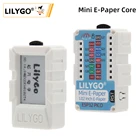
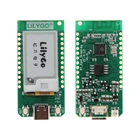
| ttgo-t5-EINKBOARDGDEM0213B74 | ESP32 | E-Ink 2.13″ (GDEM0213B74) | LilyGO T5 variant |
| ttgo-t5-EINKBOARDDEPG0213BN | ESP32 | E-Ink 2.13″ (DEPG0213BN) | LilyGO T5 with DEPG0213BN |
| ttgo-t5-EINKBOARDGDEW0213M21 | ESP32 | E-Ink 2.13″ (GDEW0213M21) | LilyGO T5 with GDEW0213M21 |
| ttgo-t7-EINKBOARDGDEM029T94 | ESP32 | E-Ink 2.9″ (GDEM029T94) | LilyGO T7 with GDEM029T94 |
| ttgo-t7-WEACT_GDEH0154D67 | ESP32 | E-Ink 1.54″ (GDEH0154D67) | WeAct Studio 200×200 |
| ttgo-t7-WEACT_DEPG0213BN | ESP32 | E-Ink 2.13″ (DEPG0213BN) | WeAct Studio 250×122 |
| ttgo-t7-WEACT_GxEPD2_290_BS | ESP32 | E-Ink 2.9″ (GDEM029C90) | WeAct Studio 296×128 |
| Flavor | RX/TX | I2C SDA/SCL | UP/DWN | GPIO Orange | GPIO Red | Battery | Neopixel | Buzzer |
|---|---|---|---|---|---|---|---|---|
| TTGO_TDISPLAY | 13/12 | 21/22 | 35/0 | 32 | 33 | 34 | 26 | 2 |
| TTGO_TDISPLAY_SANDWICH | 13/12 | 22/21 | 35/0 | 32 | 33 | 34 | 26 | 2 |
| TDISPLAY_S3 | 18/17 | 43/44 | 14/0 | 3 | 1 | 4 | 16 | 2 |
| esp32dev_OLED | 17/16 | 21/22 | 15/0 | 32 | 33 | 34 | 26 | 2 |
| esp32dev | 17/16 | 21/22 | 15/0 | 32 | 33 | 34 | 26 | 2 |
| esp32dev-ST7789_240x320 | 17/16 | 21/22 | 19/0 | 32 | 33 | 34 | 26 | 2 |
| ttgo-t5-* (E-Ink) | 15/14 | 21/22 | -1/-1 | 32 | 33 | 35 | 26 | 2 |
| ttgo-t7-* (E-Ink) | 15/14 | 21/22 | -1/-1 | 32 | 33 | 35 | 26 | 2 |
| ttgo-t7-WEACT_* (E-Ink) | 15/14 | 21/22 | -1/-1 | 32 | 33 | 35 | 26 | 2 |
- RX/TX: Pins for UART sensors (MH-Z19, CM1106, Senseair S8, etc.)
- I2C SDA/SCL: I²C bus for sensors and displays
- UP/DWN: Button pins (optional, firmware is fully functional without buttons)
- GPIO Orange/Red: Output pins for relays, alarms, and RGB LEDs at threshold levels
- Battery: ADC pin for battery voltage measurement
- Neopixel: Data pin for WS2812B addressable LEDs
- Buzzer: Pin for passive piezo buzzer (built-in transistor recommended)


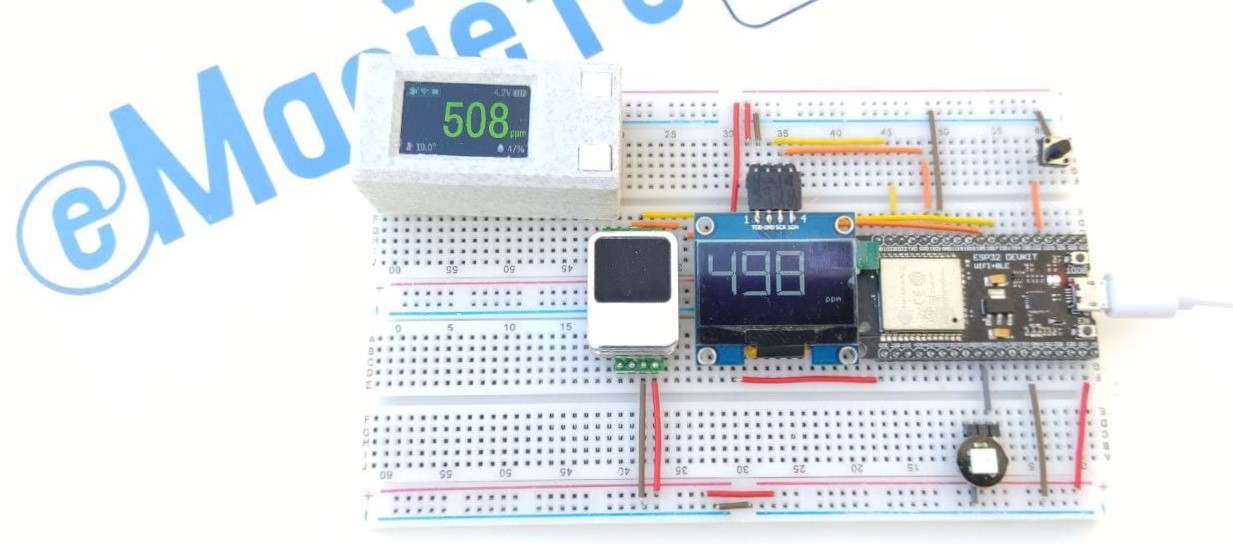
Sensor support is provided by CanAirIO sensorlib — sensors are auto-detected on boot (plug and play). Thanks to @hpsaturn and the CanAirIO team!
| Sensor | Interface | Detection | Status |
|---|---|---|---|
| Sensirion SCD30 | I²C | Auto | ✅ STABLE |
| Sensirion SCD40 / SCD41 | I²C | Auto | ✅ STABLE |
| Winsen MH-Z19 (A/B/C/D/E) | UART | Select | ✅ STABLE |
| Cubic CM1106 / CM1106SL-NS | UART | Select | ✅ STABLE (incl. ultra-low power mode) |
| Senseair S8 LP | UART | Select | ✅ STABLE |
Auto-detected via CanAirIO; PM1.0, PM2.5, PM4.0, PM10 variables published via MQTT with Home Assistant Discovery.
| Sensor | Interface | Detection | Status |
|---|---|---|---|
| Sensirion SPS30 | UART / I²C | Select / Auto | ✅ STABLE |
| Panasonic SN-GCJA5 | UART / I²C | Auto | ✅ STABLE |
| Plantower models (PMS x003) | UART | Auto | ✅ STABLE |
| Nova SDS011 | UART | Auto | ✅ STABLE |
| IKEA Vindriktning | UART | Select | ✅ STABLE |
| Sensor | Interface | Detection | Status |
|---|---|---|---|
| BME280, BMP280 | I²C | Auto | ✅ STABLE |
| BME680 (IAQ) | I²C | Auto | ✅ STABLE |
| SHT31 | I²C | Auto | ✅ STABLE |
| AHT10 | I²C | Auto | ✅ STABLE |
| AM2320 | I²C | Auto | ✅ STABLE |
| DFRobot SEN0469 (NH₃) | I²C | Auto | 🧪 TESTING |
| DFRobot SEN0466 (CO) | I²C | Auto | 🧪 TESTING |
| Geiger CAJOE | I²C | Select | 🧪 TESTING |
| DHTxx | TwoWire | Auto |
Note: DHT22 is supported but not recommended due to accuracy limitations.
Visit the CO2 Gadget page — no software installation required. Just connect your board via USB, click the installer button, and follow the prompts. The firmware is uploaded in seconds directly from your browser.
- PlatformIO (CLI or VSCode extension) — recommended
- Git
-
Clone the repository:
git clone https://github.com/melkati/CO2-Gadget.git cd CO2-Gadget -
Configure your board ports (optional): create
platformio_extra_configs.iniin the project root with your local COM ports:[common_env_data] upload_port = COM13 # Your board's USB port monitor_port = COM13 # Your board's USB port
This file is
.gitignore'd — each developer keeps their own ports without affecting the repo. All environments inplatformio.inireference thecommon_env_datavariables. If you have multiple boards on different ports, add per-environment overrides:[env:ttgo-t5-EINKBOARDDEPG0213BN] upload_port = COM6 monitor_port = COM6
-
Rebuild web assets (required after editing any file in
webserver/):powershell -ExecutionPolicy Bypass -File webserver/MinifyCompressAllFiles.ps1 -DeleteMinifiedFiles
Since PR #296,
extra_scriptsinplatformio.inirunstools/prebuild_web_assets.pybefore each build, which detects stale.gzfiles indata/and runs the pipeline automatically when needed. Note: Requires PowerShell (pwshorpowershell).pwsh(PowerShell 7) is available on all platforms including macOS/Linux. Install it via:winget install Microsoft.PowerShell(Windows),brew install powershell(macOS), orapt install powershell(Linux). You can also always run the pipeline manually for immediate results. -
Build and upload (replace
TTGO_TDISPLAYwith your desired flavor):pio run -e TTGO_TDISPLAY --target upload
-
Monitor serial output:
pio run -e TTGO_TDISPLAY --target monitor
Or use PlatformIO's Upload and Monitor task from the VS Code GUI.
Note: Arduino IDE is not officially supported. Use PlatformIO for building from source.
Once connected to WiFi, open the device's IP address in any browser. The interface adapts to dark/light mode automatically.
| Page | URL | Description |
|---|---|---|
| Home | / |
Real-time CO₂, temperature, humidity dashboard |
| Charts | /charts.html |
Historical data with interactive graphs, date filter, CSV/JSON export |
| Calibration | /calibration.html |
Live CO₂ readings and FRC calibration form |
| Low Power | /low_power.html |
Configure deep sleep thresholds (Display, BLE, MQTT, ESP-NOW) |
| Preferences | /preferences.html |
Full device settings (gear icon in navbar) |
| Status | /status.html |
System status, versions, uptime, network info |
| OTA Update | /update |
Firmware upload (via Preferences → Maintenance card) |
| Screenshot | /screenshot |
TFT display screenshot (PNG) — useful for remote debugging |
CO2-Gadget works with the Sensirion MyAmbiance app for iOS and Android:
- Real-time CO₂, temperature, and humidity visualization
- Historical data charts and download to phone
- WiFi configuration via BLE
- Sensor calibration commands
CO₂ Gadget also emits standard BTHome v2 advertisements that Home Assistant auto-discovers — no MQTT, no WiFi, no cloud.
- HA BLE auto-discovery with entity creation
- 10 selectable measurement types: CO₂, Temperature, Humidity, Battery (% and mV), Pressure, PM1.0/PM2.5/PM4.0/PM10 — granular selection in Web UI and serial menu
- Optional AES-CCM encryption with auto-generated bind key, configurable via Web UI (Reveal/Copy/Regenerate) and serial menu
- Low-power-aware: PM omitted on deep sleep; pressure on wake requires opt-in build flag
- Fully independent from Sensirion MyAmbiance — both can be active simultaneously
CO2-Gadget/
├── CO2_Gadget.ino              # Main firmware entry point & setup()
├── CO2_Gadget_Sensors.h        # Sensor initialization, reading callbacks, PM variables
├── CO2_Gadget_Battery.h        # Battery voltage reading and level calculation
├── CO2_Gadget_Outputs.h        # Unified outputs (Buzzer + NeoPixel + GPIO relays)
├── CO2_Gadget_Buzzer.h         # Piezo buzzer driver
├── CO2_Gadget_Neopixel.h       # WS2812B addressable LED driver
├── CO2_Gadget_Preferences.h    # NVS preferences persistence (save/load/JSON import-export)
├── CO2_Gadget_Thresholds.h     # ThresholdManager for gated publishing
├── CO2_Gadget_DeepSleep.h      # Low power / deep sleep management
├── CO2_Gadget_Menu.h           # On-screen menu system (ArduinoMenu library)
├── CO2_Gadget_Buttons.h        # Push button handling (Button2 library)
├── CO2_Gadget_WIFI.h           # WiFi + Web server + REST API + Captive Portal
├── CO2_Gadget_Improv.h         # Improv WiFi serial configuration
├── CO2_Gadget_BLE.h            # BLE (Sensirion MyAmbiance App)
├── CO2_Gadget_BTHome.h         # BTHome v2 BLE advertising (encoding, encryption, budget)
├── CO2_Gadget_MQTT.h           # MQTT client + Home Assistant Discovery
├── CO2_Gadget_ESP-NOW.h        # ESP-NOW communication
├── CO2_Gadget_TFT.h            # TFT display driver (TFT_eSPI)
├── CO2_Gadget_OLED.h           # OLED display driver (U8g2)
├── CO2_Gadget_EINK.h           # E-Ink display driver (GxEPD2)
├── CO2_Gadget_CircularBufferManager.h  # Rolling data buffer for web charts
├── platformio.ini              # Build configuration, flavors, features, pins
├── CO2_Gadget_Partitions.csv   # Custom flash partition table (for BLE + SPIFFS)
├── libs/
│   └── CO2_Gadget_Thresholds/  # Threshold manager library with NVS persistence
├── webserver/                  # Web UI source files (HTML, JS, CSS) + minification scripts
├── data/                       # Compiled SPIFFS data (minified + gzipped web assets)
├── docs/BTHome.md              # BTHome technical reference (payload, encryption, deep sleep)
└── docs/                       # Architecture and development documentation
Edit platformio.ini under the [features] section. Comment or uncomment any line:
[features]
build_flags =
    -DSUPPORT_BLE              ; BLE / MyAmbiance App
    -DSUPPORT_BTHOME_BLE       ; BTHome v2 BLE advertisements for Home Assistant
    -DSUPPORT_BUZZER           ; Piezo buzzer
    ; -DSUPPORT_ESPNOW         ; ESP-NOW (comment to disable)
    -DSUPPORT_MDNS             ; mDNS hostname resolution
    -DSUPPORT_MQTT             ; MQTT client
    -DSUPPORT_MQTT_DISCOVERY   ; Home Assistant auto-discovery
    -DSUPPORT_OTA              ; Over-the-air updates
    -DSUPPORT_LOW_POWER        ; Deep sleep / low power mode
    ; -DSUPPORT_LOW_POWER_PRESSURE ; BME280 pressure on deep-sleep wake (opt-in, needs BTHome + Low Power)
    -DSUPPORT_CIRCULAR_BUFFER  ; In-memory data buffer for web charts
Build a specific board flavor:
pio run -e TTGO_TDISPLAY --target upload
pio run -e TDISPLAY_S3 --target upload
pio run -e esp32dev --target upload
pio run -e ttgo-t5-EINKBOARDDEPG0213BN --target upload
All available environments are listed in platformio.ini under [platformio] → default_envs.
Enable debug output by uncommenting flags in the [debug] section:
[debug]
build_flags =
    -DDEBUG_EINK               ; E-Ink display debug
    ; -DDEBUG_NEOPIXEL         ; NeoPixel debug
    ; -DDEBUG_PREFERENCES      ; Print preferences on load/save
    ; -DDEBUG_WIFI_EVENTS      ; WiFi event debug
    ; -DDEBUG_BLE              ; BLE debug
    ; -DDEBUG_THRESHOLDS       ; Threshold evaluation debug
    -DWIFI_PRIVACY             ; Hide passwords in serial output
-D CORE_DEBUG_LEVEL=0 ; 0=None, 1=Error, 2=Warning, 3=Info, 4=Debug, 5=VerboseEveryone is welcome to contribute to CO2-Gadget, regardless of skill level or background.
- Fork the repository
- Create a feature branch:
git checkout -b feat/my-featureorgit checkout -b fix/my-fix - Make your changes — follow the existing code style (Google style, clang-format friendly)
- Test your changes — ensure builds succeed for at least one flavor
- Document your code and PR
- Open a Pull Request targeting the
developmentbranch
- Run clang-format (Google style) before committing
- Keep PRs focused on a single feature or fix
- Update CHANGELOG.md with your changes
- For major changes, open an issue first to discuss
We welcome the responsible use of AI tools. See docs/ai-guidelines.md for our full policy.
TL;DR: AI is a productivity tool, not a substitute for understanding. You are responsible for every line of code you submit.
We have active Alpha and Beta testing programs. Reach out on Telegram.
- Everything about the Sensirion SCD30 NDIR dual-channel CO₂ sensor
- Everything about the Sensirion SCD40 and SCD41 RPAS CO₂ sensors
- Everything about the Winsen MH-Z19 NDIR CO₂ sensors
- Everything about the Winsen Low Consumption CO₂ Sensor MH-Z1311A
- MH-Z19B vs Senseair S8 NDIR comparison
- Tutorial: Build a CO₂ Monitor with TTGO T-Display + SCD30
- Tutorial: Compact CO₂ Gadget with battery support
- ESP-NOW to MQTT Gateway
- CO2 Gadget firmware page (Spanish) — installation, guides, FAQ
- CO2 Gadget guides index — all tutorials and documentation
- CanAirIO sensorlib
Copyright (C) 2021-2024 Mariete & CO2 Gadget Contributors · Contact: https://emariete.com
This project is licensed under the GNU General Public License v3.0 — see the LICENSE file for details.
Thanks to all collaborators, contributors, and the eMariete community for testing, feedback, and support.
Special thanks to:
- CanAirIO team — sensor abstraction library
- All contributors who helped improve CO2 Gadget — you are awesome!
If you find CO2-Gadget useful:
- ⭐ Star this repository on GitHub — it helps others discover the project
- 📢 Share your experience with the community on Telegram
- 🐛 Report bugs or suggest features via GitHub Issues
- 🤝 Contribute code, documentation, or testing
Material donations (hardware for testing) are also appreciated to support further development.
If you read this far, please star this repository! ⭐

▐▀▀▀▀▀▀▀▀▀▀▀▀▀▀▀▀▀▀▀▀▀▀▀▀▀▀▀▀▀▀▀▀▀▀▀▀▀▀▀▀▀▀▀▀▀▀▀▀▀▀▀▀▀▀▀▀▀▀▀▀▀▀▌
▐       ____ ___ ____     ____           _            _        ▌
▐      / ___/ _ \___ \   / ___| __ _  __| | __ _  ___| |_      ▌
▐     | |  | | | |__) | | |  _ / _` |/ _` |/ _` |/ _ \ __|     ▌
▐     | |__| |_| / __/  | |_| | (_| | (_| | (_| |  __/ |_      ▌
▐      \____\___/_____|  \____|\__,_|\__,_|\__, |\___|\__|     ▌
▐                                          |___/               ▌
▐▄▄▄▄▄▄▄▄▄▄▄▄▄▄▄▄▄▄▄▄▄▄▄▄▄▄▄▄▄▄▄▄▄▄▄▄▄▄▄▄▄▄▄▄▄▄▄▄▄▄▄▄▄▄▄▄▄▄▄▄▄▄▌

Copyright (C) 2021-2026 Mariete & CO2 Gadget Contributors
Contact: https://emariete.com

This file is part of the CO2 Gadget firmware.

The CO2 Gadget firmware is free software: you can
redistribute it and/or modify it under the terms of the GNU Lesser General
Public License as published by the Free Software Foundation, either version
3 of the License, or (at your option) any later version.

The emariete.com Website and Documentation is distributed in the hope
that it will be useful, but WITHOUT ANY WARRANTY; without even the implied
warranty of MERCHANTABILITY or FITNESS FOR A PARTICULAR PURPOSE.  See the
GNU Lesser General Public License for more details.

You should have received a copy of the GNU Lesser General Public License
along with the emariete.com Website and Documentation. If not, see
<http://www.gnu.org/licenses/>.

▐▀▀▀▀▀▀▀▀▀▀▀▀▀▀▀▀▀▀▀▀▀▀▀▀▀▀▀▀▀▀▀▀▀▀▀▀▀▀▀▀▀▀▀▀▀▀▀▀▀▀▀▀▀▀▀▀▀▀▀▀▀▀▀▀▀▀▀▀▀▀▀▀▀▌
▐                                _      _                                 ▌
▐       ___ _ __ ___   __ _ _ __(_) ___| |_ ___   ___ ___  _ __ ___       ▌
▐      / _ \ '_ ` _ \ / _` | '__| |/ _ \ __/ _ \ / __/ _ \| '_ ` _ \      ▌
▐     |  __/ | | | | | (_| | |  | |  __/ ||  __/| (_| (_) | | | | | |     ▌
▐      \___|_| |_| |_|\__,_|_|  |_|\___|\__\___(_)___\___/|_| |_| |_|     ▌
▐▄▄▄▄▄▄▄▄▄▄▄▄▄▄▄▄▄▄▄▄▄▄▄▄▄▄▄▄▄▄▄▄▄▄▄▄▄▄▄▄▄▄▄▄▄▄▄▄▄▄▄▄▄▄▄▄▄▄▄▄▄▄▄▄▄▄▄▄▄▄▄▄▄▌