Using the Eclipse VODSL Plugin Features
As well as the "standard" IDE features that you would expect such as syntax colouring and context dependent suggestions there are some other specialist ones.
The plugin will compile any VODSL it finds (files with .vodsl extension) to the output directory specified in the compiler section of the VODSL preferences. The compilation will occur whenever the enclosing project is built, and if "build automatically" is set then this will be every time that the VODSL file is saved.
The graphical visualisation can be launched by right clicking on a model element in the textual view
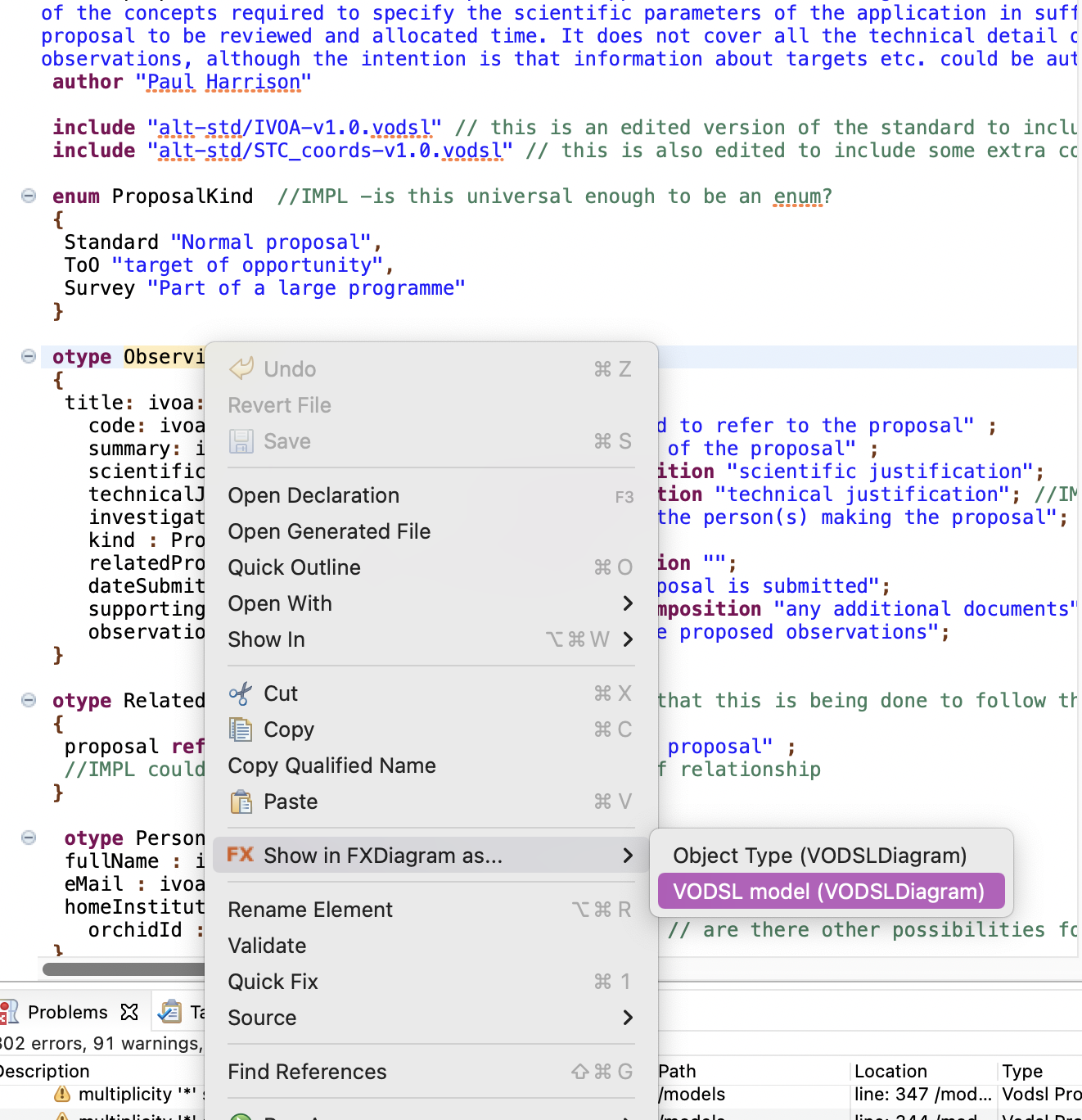
Navigation in the view is possibly a little un-intuitive - on a Mac the following gestures work
- panning is done with a two finger drag on trackpad
- zooming is done with a two finger pinch gesture
- a menu consisting of a ring of icons can be invoked with a two finger tap
- double-clicking on a model item in the view will select that item in the textual view, and conversely right clicking in the textual view and "Show in FXDiagram" again will select the item in the graphical view.