This project develops a system for translating human pose detection to humanoid robot motion in simulation environments. Using Google MediaPipe for pose landmark detection from camera input, the system maps detected human poses to corresponding joint movements executed by a humanoid robot in Gazebo simulator. The implementation leverages ROS2 Humble and MoveIt2 for motion planning and control, with a data generation pipeline that creates training pairs of pose landmarks and robot joint configurations. This approach provides a foundation for safety monitoring applications in industrial simulation (SIMLAN), where human pose analysis can be integrated for workplace incident detection.
This work builds upon the master's thesis by Tove Casparsson and Siyu Yi, supervisor by Hamid Ebadi completed in June 2025. The original thesis code is available in the master-thesis-2025 branch.
Click the YouTube link below to view the humanoid motion capture demo video:
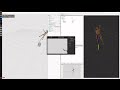
- Forward Kinematics (FK): The process of calculating the position and orientation of a robot's links given the values of its joint parameters (e.g., angles or displacements). In other words, FK answers the question: "Where is the robot's hand if I know all the joint values? (usually have one answer)"
- Inverse Kinematics (IK): The process of determining the joint parameters (e.g., angles or displacements) required to achieve a desired position and orientation of the robot's links. In other words, IK answers the question: "What joint values will place the robot’s hand here? (usually have many answers)"
- Pose : 3D pose landmarks (MediaPipe) extracted by Mediapipe from an 2D image of human posture
- Motion : A kinematic instruction (joint parameters) sent to the robot (via MoveIt) for execution. While "kinematic instruction" would be a more accurate term, we continue to use "motion" for historical reasons (used in the word motion-capture), even though , "motion" often refers to the difference/movement between two postures (e.g., posture2 - posture1).
- Motion Capture: Here it means using 2D images to find the motion(kinematic instruction/joint parameters) to instruct a humanoid robot to mimic the human posture.
You can use these commands (tested on Ubuntu 24.04) to install docker and ensure that your linux user account has docker access.
Attention: Make sure to restart the computer (for the changes in group membership to take effect.) before proceeding to the next step.
To improve collaboration in development environment we use vscode and docker as explained in this instruction using these docker files. For production environment follow installation procedure used in .devcontainer/Dockerfile to install dependencies.
Install Visual Studio Code (VS Code) and open the project folder. VS Code will prompt you to install the required extension dependencies.
Make sure the Dev containers extension is installed. Reopen the project in VS Code, and you will be prompted to rebuild the container. Accept the prompt, this process may take a few minutes.
Once VS Code is connected to Docker (as shown in the image below), open the terminal and run the following commands:

(if you don't see this try to build manually in vscode by pressing Ctrl + Shift + P and select Dev containers: Rebuild and Reopen in container.
)
To build the project inside vscode dev-container:
./control.sh build
All the following commands need to be executed from vscode terminal within Dev container.
The below image describes how the dataset generation system works.

The command below creates paired pose data and motion data.
./control.sh dataset DATASET/TRAIN # or DATASET/EVAL
The resulting files are stored as parallel .json files in the folders DATASET/TRAIN/pose_data, DATASET/TRAIN/motion_data, DATASET/TRAIN/pose_images.
To avoid creation of pose_images that are only used as the ground truth and debugging (specially if you are building your training data), comment out then call to self.save_pose_image() in camera_viewer.py.
Finally to merge them all in tabular .csv file run the following command.
./control.sh convert2csv
Results in merging:
DATASET/TRAINtoDATASET/train.csvDATASET/EVALtoDATASET/eval.csv
You can replay_motion each motion data separately: ./control.sh replay_motion DATASET/EVAL/motion_data/AAAAAAA_motion.json
You can read about the training step in this README.md document
Keep in mind that we use a separate virtual environment to install machine learning related pip packages called
mlenvwith a separaterequirements.txt. Build the environment first using./control.sh mlenv

This step reads data from DATASET/train.csv and trains our model:
./control.sh train
The resulting model is saved in models/.
The following command uses MediaPipe to create pose data from an image or a video in input/ to populate output/ with mediapipe lankmark pose and images.
./control.sh image_pipeline
./control.sh video_pipeline
To use the model on each generated pose run the following command
./control.sh predict output/
Alternatively, you can also run similar command to do prediction on the validation data. Using evaluation dataset opens up a image viewer with the ground truth mediapipe detection as well to quickly check the performance of our ml model:
./control.sh predict DATASET/EVAL
input/: This folder has the pose data to be predictedoutput/: This folder saves the predicted motion data and intermediate resultsmodels/: This folder save thepose_motion_model.pth, loss plots and training paramsDATASET/TRAIN: Currently empty, but motion, pose and image files generated by./control.sh dataset DATASET/TRAINare stored here.motion_data: Corresponsing random motion (request)pose_data: Mediapipe pose (result)pose_images: Mediapipe annotated images and original images
DATASET/EVAL: Few sample motion, pose and image files.pose_to_motion/: Contains the ML training pipeline for pose-to-motion predictionmp_detection.py: Handles pose detection from actual images or videos using MediaPipe
src/: ROS2 packagescamera_system/: camera model files and scripts to launch the camera and start pose capturehumanoid_robot/: model files, URDFs, world and launch files for the humanoidhumanoid_support_moveit_config/: MoveIt2 config files for the humanoid and supporterrandom_motion_planner/: scripts to launch and execute random motions with the humanoid
This project is currently maintained by Hamid Ebadi.
This work was carried out within these research projects:
- The EUREKA ITEA4 ArtWork - The smart and connected worker financed by Vinnova under the grant number 2023-00970.