
SSuite NetSurfer Prometheus is a revolutionary browser that, rather than stealing fire, gifts you the blazing speed, security, and innovation needed to dominate the online digital realm without facing the wrath of BigTech, or any of the limitations of typical Chromium-based clones.
With its original design and forward-thinking functionality, NetSurfer Prometheus seeks not only to serve the individual but is also crafted to meet the needs of businesses seeking a reliable, secure browsing solution.

But here's the real kicker; NetSurfer Prometheus doesn't just copy what's already out there and then slap a "New and Improved" label on it. Oh no, it's got original flair... 🤗🤩
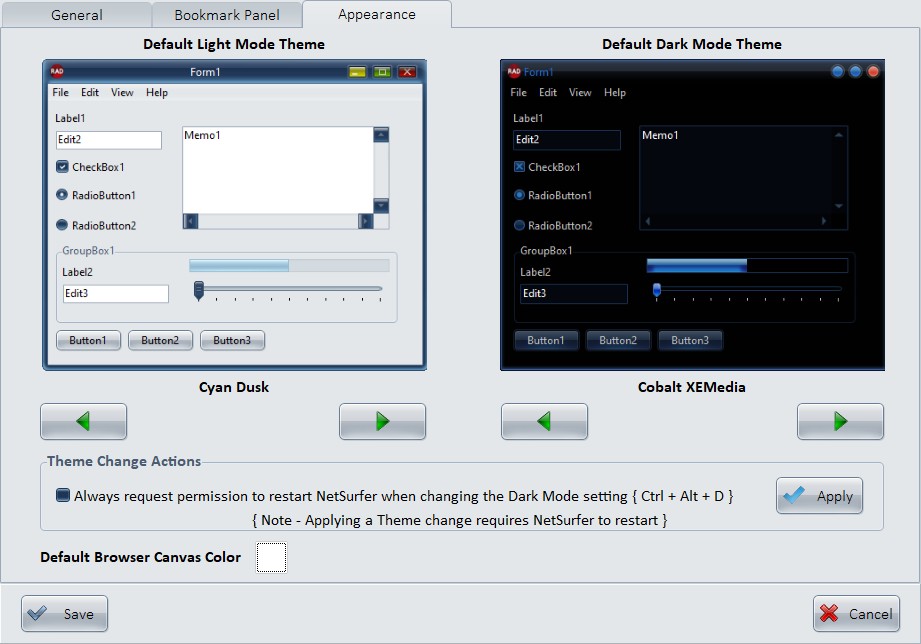
From its extensive array of 35 selectable colored themes(from light and dark and everything in between, because you deserve choices, not ultimatums) to its user-friendly interface, this browser makes you feel like a digital trailblazer every time you open it. Whether you're a casual user or a business looking to upgrade your online game, this browser doesn't just let you surf the web; it makes you enjoy it.
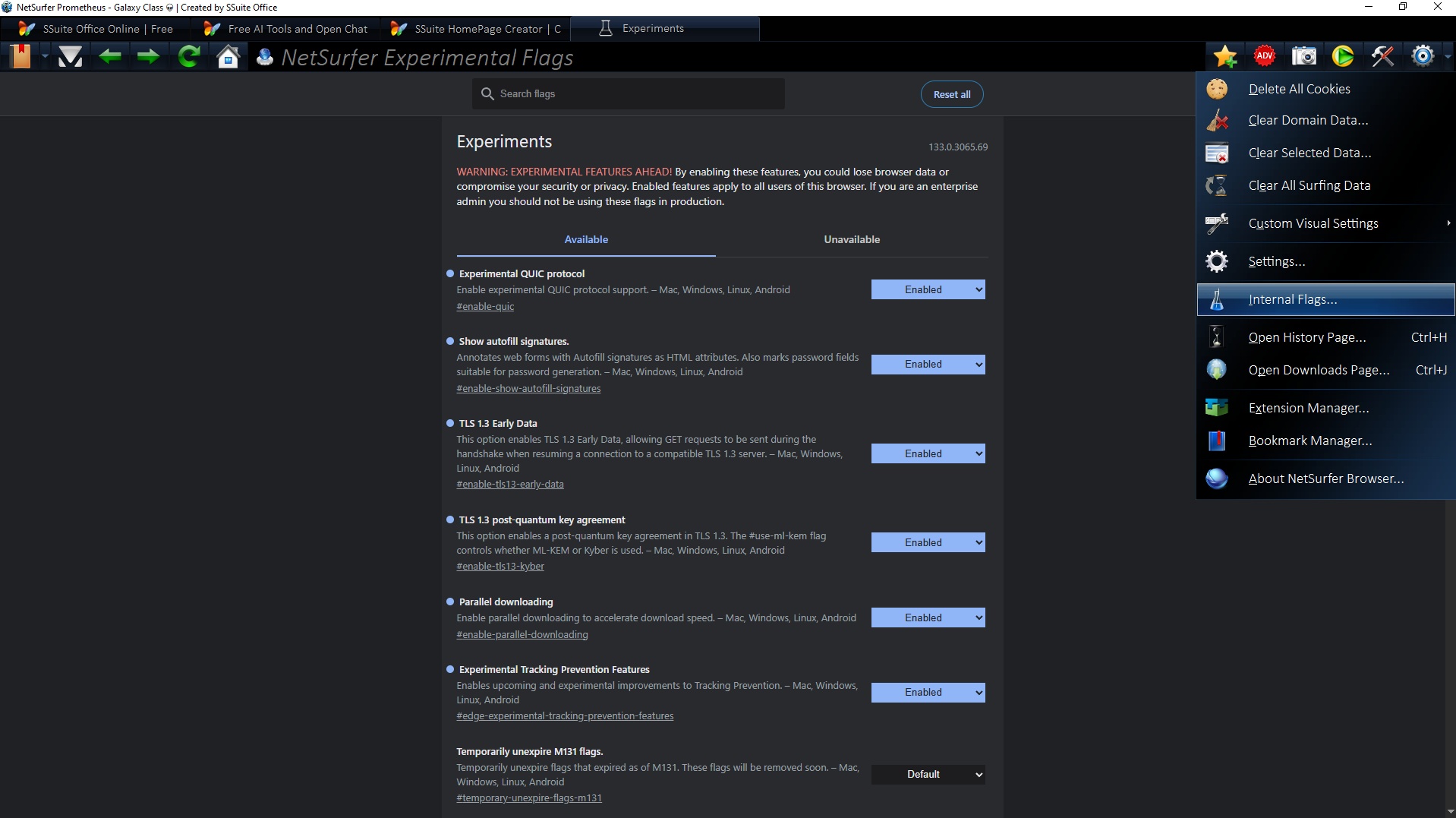
When you launch SSuite NetSurfer Prometheus or open a new tab, the browser will immediately direct you to your preferred default homepage, which can be selected from a range of top-tier websites in the settings menu. This stands in contrast to other browsers that always default to a fixed branded homepage, cluttered with paid advertisements and sponsored links, which cannot be modified or removed.
There are No performance dips, No sluggishness; just pure, uninterrupted browsing bliss ensuring rapid page loads and smooth navigation across the web! Its lightweight design ensures smooth operation, even on less powerful devices, making it ideal for both intense gaming sessions and relaxed entertainment breaks.
So... take a seat, open a new tab, and get ready to browse the web like a Titan legend! 👑🤴
Updates Made So Far in This Edition: ⚙🛠
- 🧱 New Feature Added: Go Offline... One Tab at a time!
- 🎛️ Your Toolbar, Your Rules! Take full control of your browsing experience with customizable toolbar buttons. Rearrange, tweak, and tailor everything to match your workflow. 🧩✨
- 💡 Built Around You: Whether you want quick access to favorites or a minimalist setup, your toolbar now adapts to how you browse.
- 🛡️ Next-Level Tracking Protection! Your privacy just got a serious upgrade. Choose from multiple enhanced tracking prevention levels designed to keep unwanted eyes off your activity. 🔒👀
- 🌐 Browse Smarter, Safer: Dial up or down your protection depending on your needs, flexibility meets security in one powerful combo.
- 🚀 Speed Boost Unleashed! Clicking links now feels instant, thanks to major improvements in navigation and reduced web latency. ⚡🌍
- 🏎️ Faster From Click to Content: Less waiting, more doing. Enjoy smoother transitions and quicker load times every time you jump between pages.
-This release is a general maintenance update, incorporating user feedback and comprehensive refactoring of the core application codebase to enhance stability and performance. - 🧱 AdBlocker Fusion Is Here! Say goodbye to juggling custom lists! Your AdBlocker updates now seamlessly merge with your personal additions. No more exporting, importing, or worrying about losing your carefully curated block list. 🧩✨
- 💡 Smart Sync: Every new update blends with your existing entries, keeping your browsing clean and uniquely yours.
- 🔗 Right-Click, Block Instantly! Adding domains to your AdBlocker list just got ridiculously easy. Simply right-click any link in the address bar and hit “Add Domain to Blocklist”; boom, it’s blocked. ⚡🚫 No copy-pasting. No menus. Just instant action from the context or popup menu.
- 🚀 TurboDown 2.0 — Faster. Smarter. Unstoppable. Our TurboDown downloader has leveled up again! Expect sharper reliability, boosted transfer speeds, and a smoother ride from start to finish. 🏎️💨 Because why settle for fast when you can have Turbo? ⚙️💾
- 🧭 Tabs, Your Way! Top or bottom, it’s your call. 🌗 Customize your tab position under “Custom Visual Settings”, hit apply, restart your browser, and watch your workspace transform. 🎨 Personalize Your Flow: Whether you like your tabs above or below, your layout now fits your vibe.
- 🧩 Extension Fix of the Week! That pesky “Add” button in Extensions finally behaves itself, it now opens the correct folder like it always should have. 🙈🔧 We’ve given our dev team a stern talking-to (and maybe a fresh pot of coffee ☕).
`
💥 Bottom Line: Total control. Stronger privacy. Lightning-fast browsing. Your web, upgraded... 🔥🌟 Smarter blocking. Cleaner controls. Faster downloads. Sharper customization. Every click counts, and now, every feature works harder for you... 🌟🔥
`
🔥 YouTube Strikes Again: Control Over Choice! In an act of calculated hostility, YouTube has chosen to weaponize its platform against fair competition, blocking our ability to play embedded YouTube videos through our browser's native Media Player. This was not a technical necessity, it was a deliberate move, steeped in arrogance and control. With this decision, YouTube once again reminds the world that user choice and innovation are secondary to its own dominance. We’re forced to end this feature, not because we wish to, but because YouTube has made it impossible to serve our users freely! 😡🤬
Please Note: All updates must be applied manually to maintain user security and allow for individual choice.
Running the latest [ Install File ] will automatically update all of the above mentioned Extensions and the NetSurfer browser in one GO!
How To Update Our NetSurfer Browsers - Desktop Editions 💾 💻 🖥
To update your NetSurfer browser, simply run the new installation file you’ve recently downloaded. This process will automatically update your existing browser while keeping all of your web data—such as bookmarks, browsing history, and saved settings—completely intact.
This update method applies to both the 32-bit and 64-bit versions of NetSurfer. Your personalized settings, including any ad-blocking preferences or extensions, if installed, will remain unchanged after the update is complete. Proton Pass, if installed, will be automatically updated with the new version present in the new updated install file.
No technical expertise is required—just download the new version of NetSurfer, run the installation file, follow the prompts, and NetSurfer will take care of the rest... 😍
......................