Pixel-perfect animated ASCII art. Images, GIFs, video frames — in your terminal, in the browser playground, or baked into Go / Lua / JSON for embedding in TUIs and Neovim dashboards.





No install. Drop an image or GIF into the web playground and grab the ASCII /
.milli/ Go / Lua / JSON output instantly. Same engine as the CLI, all browser-side.
npm install -g @amansingh-afk/milliOr one-shot without install:
npx @amansingh-afk/milli image pic.pngRequires Node 18+ and a terminal with truecolor (COLORTERM=truecolor). Most modern terminals qualify.
# zero-friction: bundled samples ship with the npm package
milli play fire
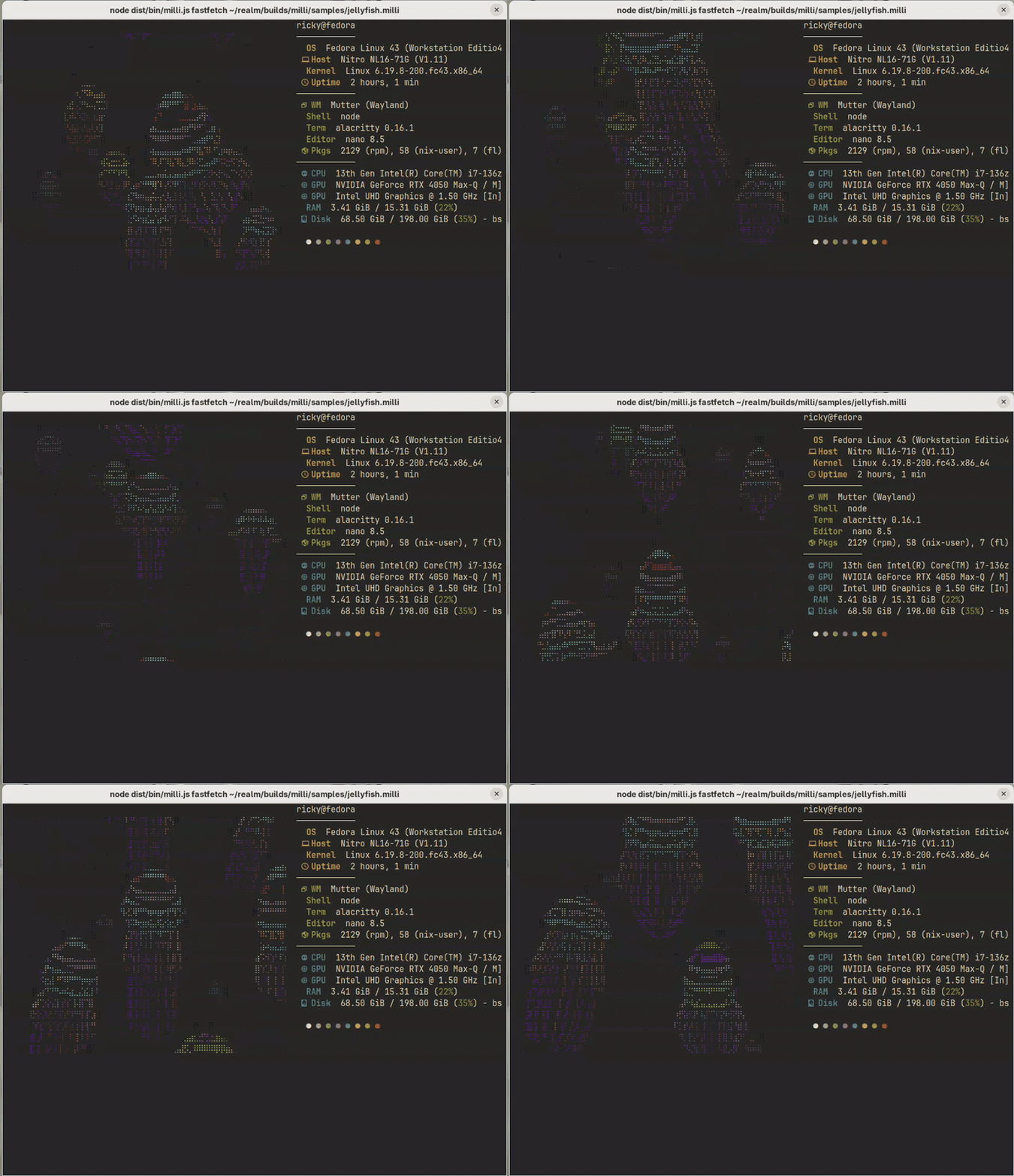
milli fastfetch jellyfish --no-bg        # animated logo + fastfetch info, single command

# animate ANY text — no image needed (fire|glitch|wave|matrix|dissolve|typewriter|pulse|rainbow)
milli text "MILLI" -e fire
milli text "SYSTEM ONLINE" -e glitch -c "#ff0044"

# real-time procedural shaders (plasma|rain|doomfire|starfield|tunnel|waves)
milli shader rain                        # fullscreen matrix rain, Ctrl+C to exit
milli shader plasma --hue 280

# render any image to ASCII
milli image pic.png

# animated GIF in the terminal
milli play anim.gif

# bake a GIF into a fast-loading .milli file (no sharp at playback time)
milli convert anim.gif anim.milli
milli play anim.milli

# export frames as Lua for Neovim dashboards (use with milli.nvim)
milli export anim.gif ./out -t lua -w 60 --no-bg

# export frames as Go for Bubbletea splashes
milli export anim.gif ./out -t go -p bootsplash -w 50

# bake a text effect or shader for any target (lua/go/json/.milli)
milli text "NEOVIM" -e matrix -o ./out -t lua
milli shader doomfire -w 50 -h 14 -o ./out -t milli
milli fastfetch jellyfish — bundled animation in fastfetch's logo column, info on the right:
| Doc | What's in it |
|---|---|
| CLI reference | All commands (image / play / convert / export), flags, render modes, export targets |
| Recipes | Neovim splash, terminal screensaver, shell MOTD, tmux pane, React embed, Bubbletea, animated fastfetch |
| Library API | Programmatic API, .milli format spec, supported input formats |
| FAQ | Performance, aspect ratio, transparency, browser usage, common gotchas |
chafa is the quality floor for "image → terminal." milli adds:
- Procedural generation —
milli text(8 text effects) andmilli shader(6 live shaders) create animation from nothing; chafa needs an input image - Pre-baked format —
.millifor instant playback, ship with your app - Source export — Go / Lua / JSON for embedding (chafa is a binary)
- Programmatic API — use as a Node library
- Browser bundle — decode + render
.milliin React, no Node deps - Neovim integration — first-party dashboard plugin
- Truecolor glyph matching — match mode uses per-glyph MSE, not just dominant color per cell
If you want a one-shot terminal render and chafa is installed — chafa is great. If you want to embed ASCII animation in your product (TUI splash, nvim dashboard, animated fastfetch, dashboard widget), milli is built for that.
- Not a terminal image protocol. Sixel, kitty, iTerm2 inline images draw pixels. milli draws glyphs.
- Not a TUI framework. Use ink / blessed / bubbletea / ratatui. milli is a widget.
- No streaming / webcam. Offline clips only.
MIT.