
Build a simple Retrieval-Augmented Generation (RAG) workflow in n8n that answers questions only using my own dataset. The workflow loads structured project data, filters it into relevant subsets (retrieved context), and provides that context to an LLM to generate a constrained answer.
- Workflow export (JSON):
M2U3/RAG_Project_Workflow.json - Screenshots (3–6 total):
M2U3/screenshots/Screenshot per major section of the workflow:01_workflow.png02_getting_data.png03_filtering_data.png04_merging_datasets.png05_merging_prompt_context.png06_llm_call.png
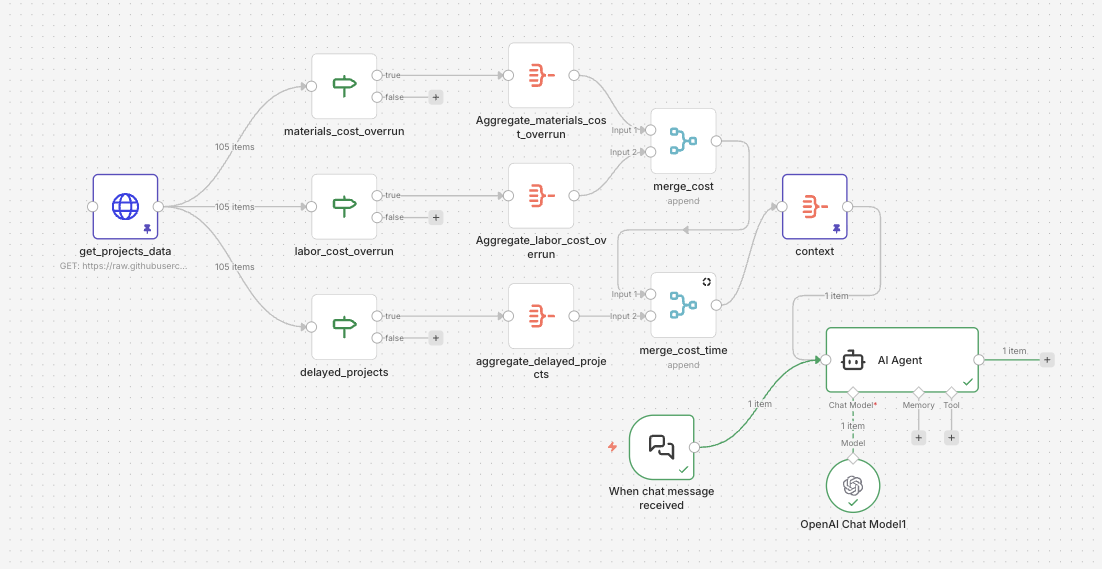 Overall Workflow
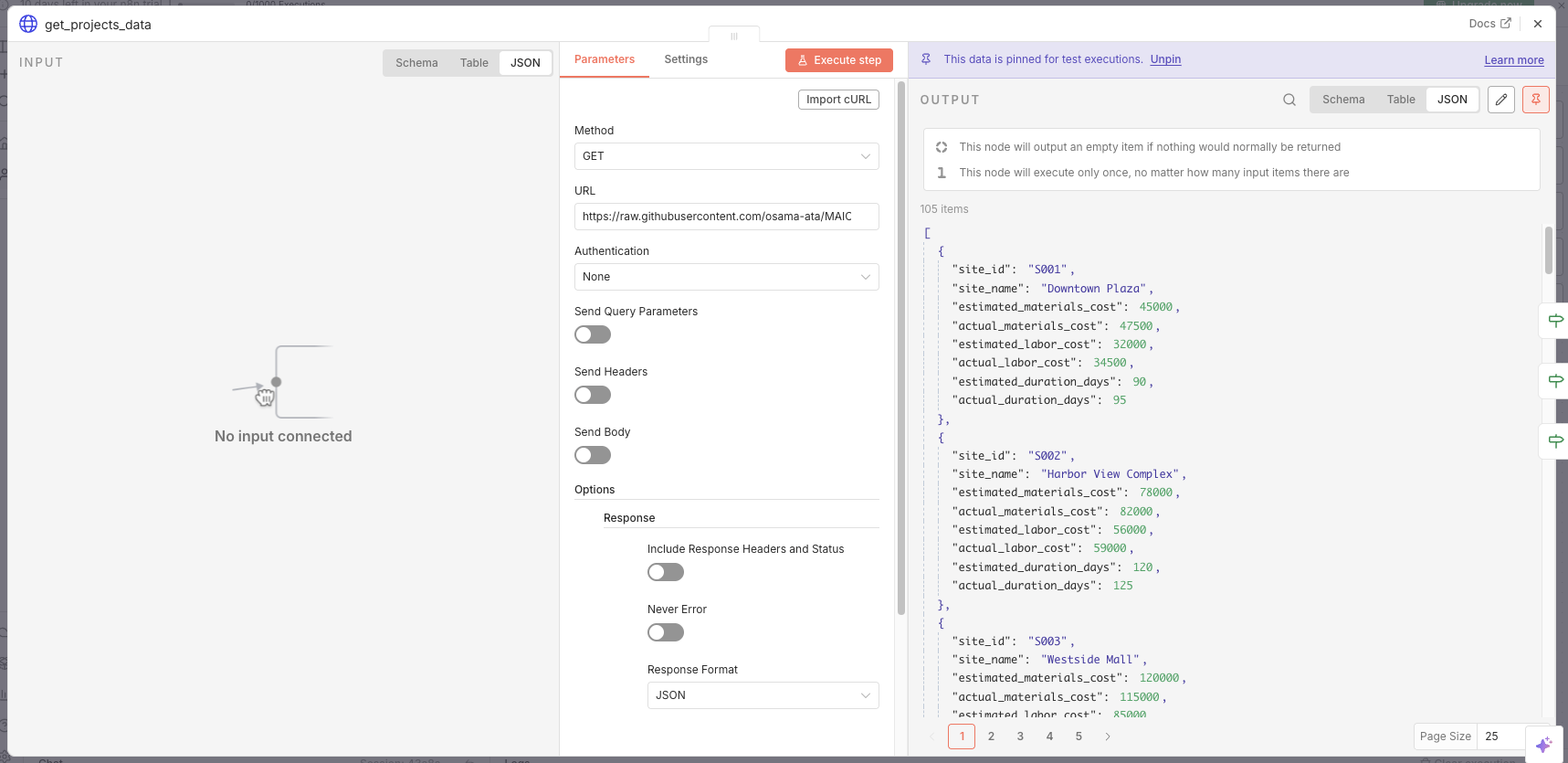 Getting Data
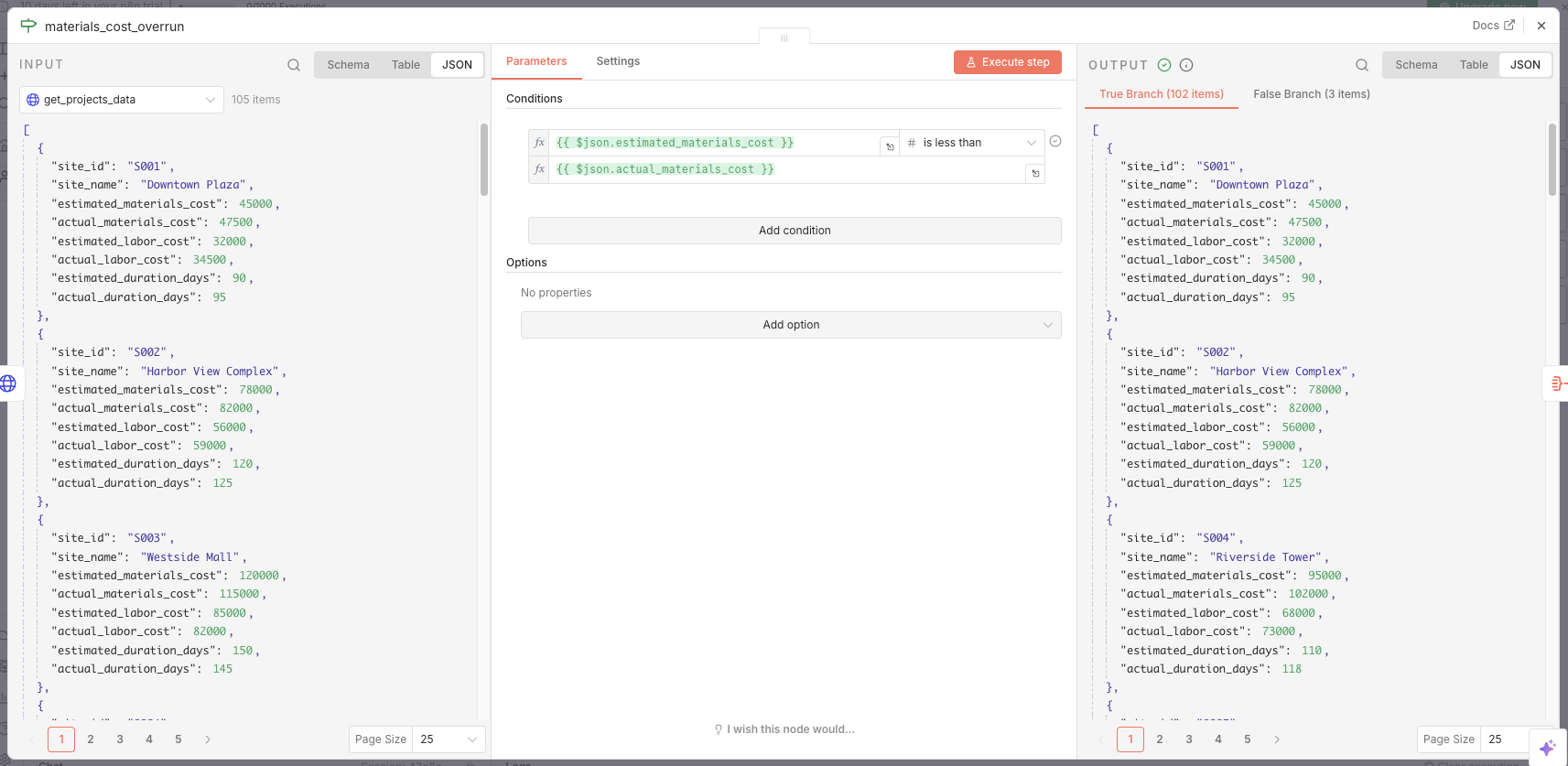 Filtering Data
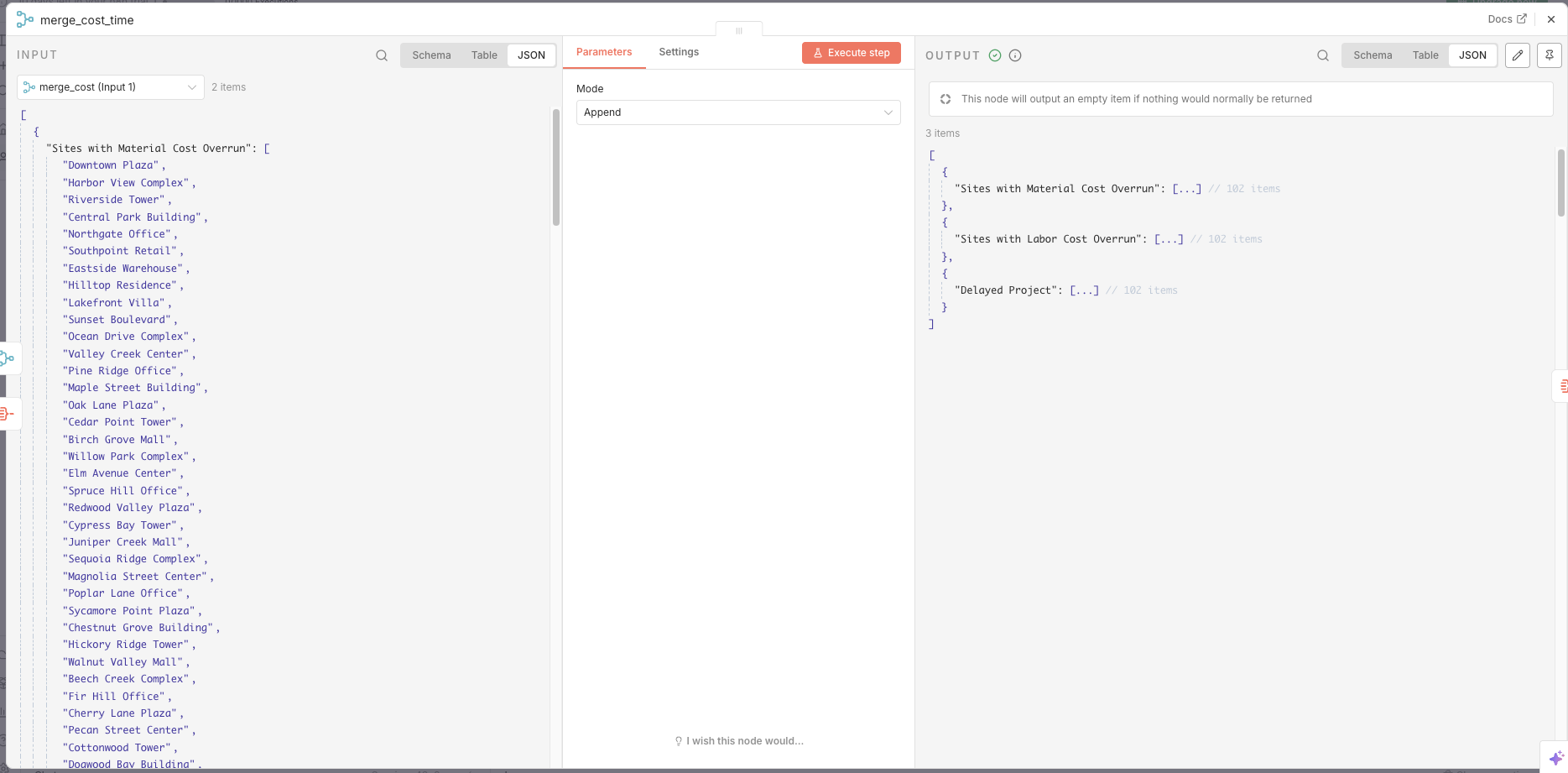 Merging Datasets
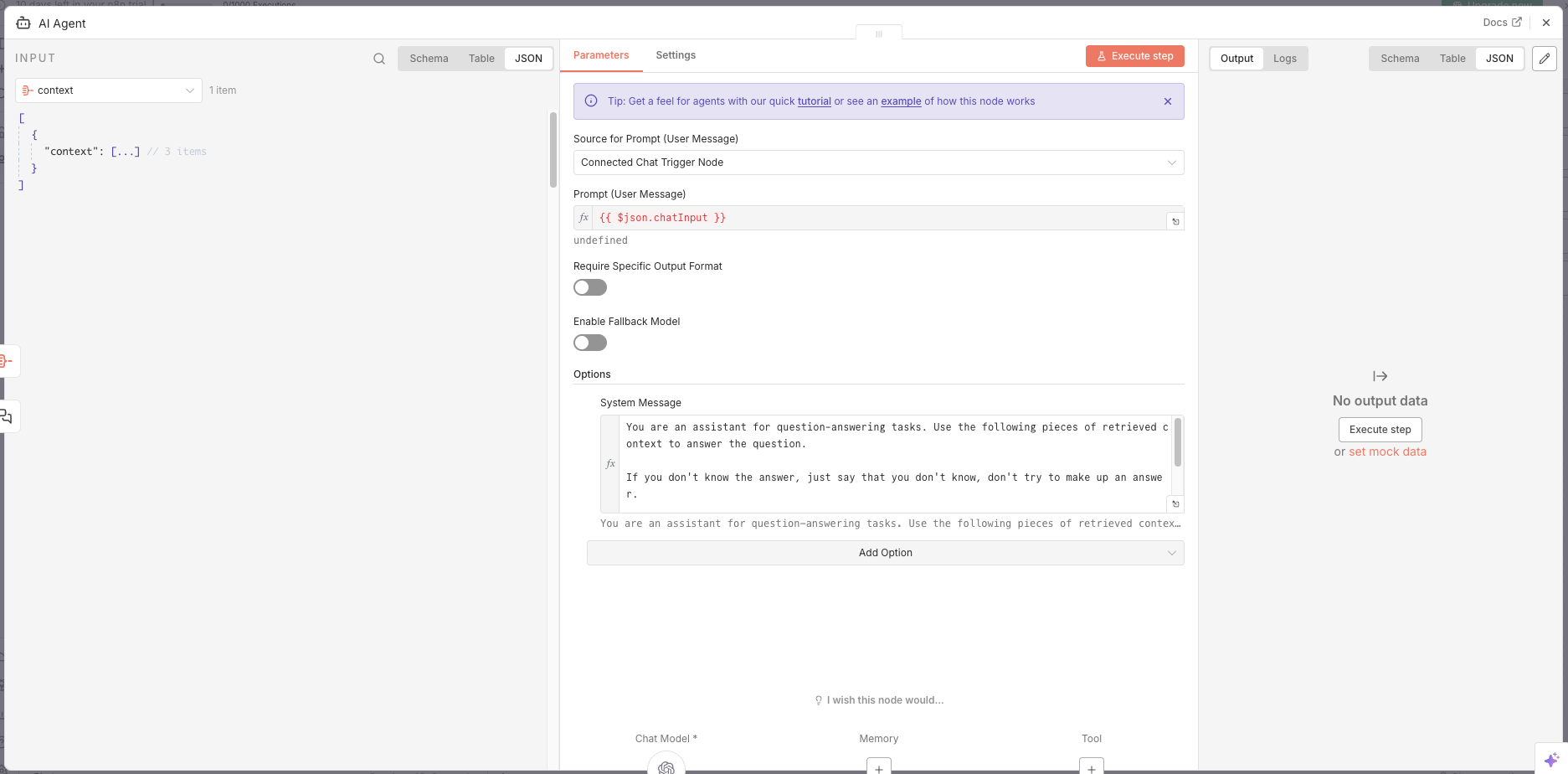 Merging Prompt Context
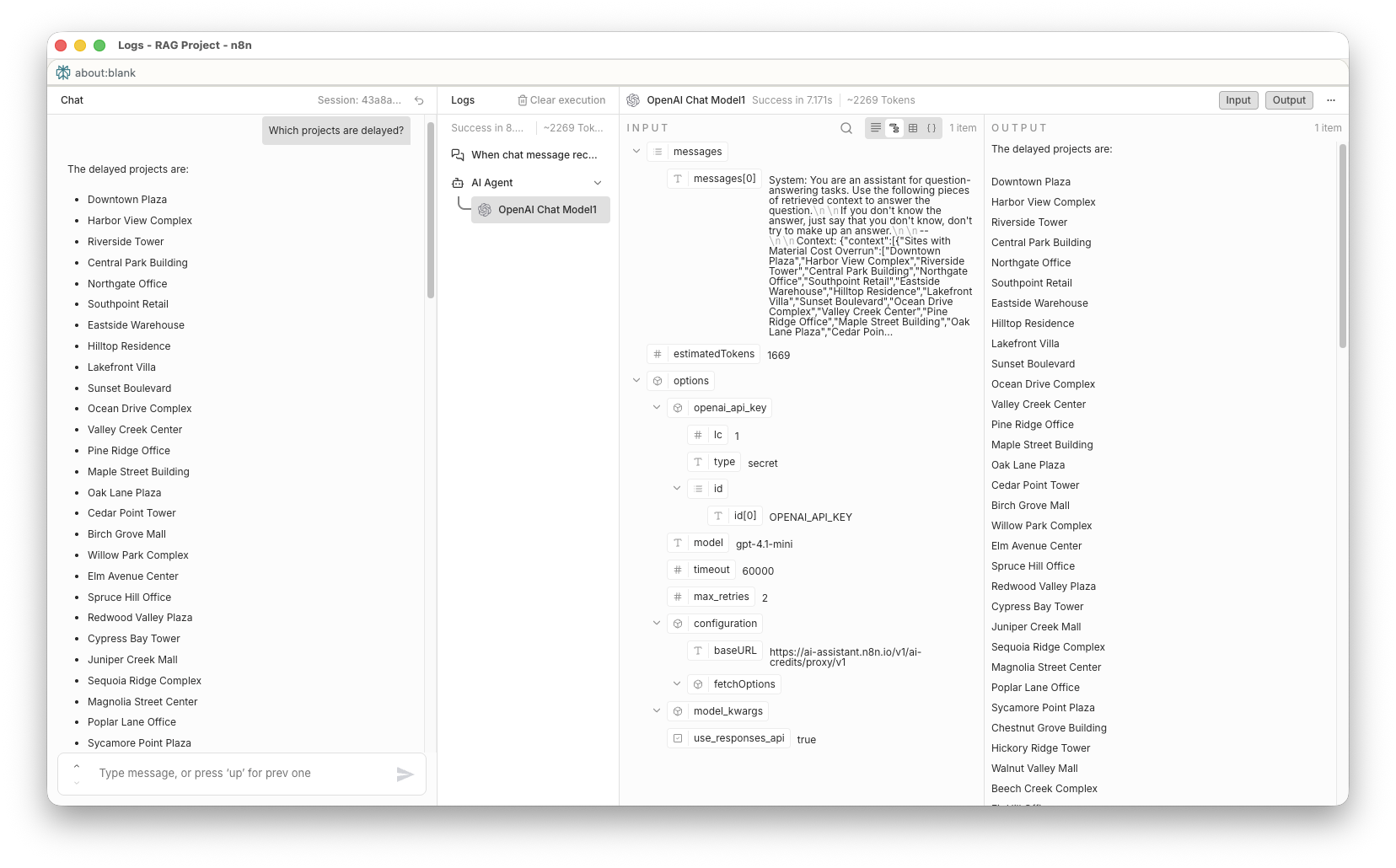 LLM Call
- Dataset: construction project/site cost + duration data (JSON derived from CSV)
- Primary columns:
site_id,site_nameestimated_materials_cost,actual_materials_costestimated_labor_cost,actual_labor_costestimated_duration_days,actual_duration_days
- Source file referenced by workflow:
M2U3/project_data.json(fetched via HTTP in the workflow)
- Load the dataset (JSON).
- “Retrieve” relevant subsets by filtering:
- sites where actual materials cost > estimated
- sites where actual labor cost > estimated
- sites where actual duration > estimated
- Aggregate filtered results into a single context object.
- Provide that context to the LLM so answers are grounded in retrieved data.
This design supports questions such as:
- “Which sites have material cost overruns?”
- “Which sites are delayed?”
- “List sites with labor overruns.”
- When chat message received: Receives the user’s question (chat input) to trigger the workflow.
- get_projects_data: Loads the project dataset (JSON) into the workflow.
- materials_cost_overrun (IF): Filters rows where
actual_materials_costexceedsestimated_materials_cost. - labor_cost_overrun (IF): Filters rows where
actual_labor_costexceedsestimated_labor_cost. - delayed_projects (IF): Filters rows where
actual_duration_daysexceedsestimated_duration_days. - Aggregate_materials_cost_overrun: Collects the
site_namevalues for material-overrun sites into one list. - Aggregate_labor_cost_overrun: Collects the
site_namevalues for labor-overrun sites into one list. - aggregate_delayed_projects: Collects the
site_namevalues for delayed sites into one list. - merge_cost: Merges the two cost-overrun aggregations into a single stream.
- merge_cost_time: Merges cost results with delay results to form a combined dataset.
- context (Aggregate): Aggregates merged results into a single
contextpayload for the LLM. - OpenAI Chat Model1: Provides the chat model used by the agent for generation.
- AI Agent: Generates the final answer using only the provided
context.
Answer only using the data below.
DATA:
{{context}}
QUESTION:
{{query}}
If the answer is not in the data, reply exactly: "No information available."
Note: In this workflow, the “retrieved context” is the filtered + aggregated lists produced upstream (overruns/delays), which constrains what the model can truthfully answer.
- Open n8n.
- Import the workflow JSON:
M2U3/RAG_Project_Workflow.json - Configure credentials for the OpenAI node (or replace with your preferred provider).
- Execute the workflow (or use the chat trigger) and ask questions like:
- “Which sites are delayed?”
- “Which sites have labor cost overruns?”
What the data is:
The dataset represents construction sites with estimated vs. actual costs (materials and labor) and estimated vs. actual durations. Each row is a site, which makes it suitable for retrieval-by-filtering.
What questions people will ask:
Typical stakeholder questions are list-based and exception-focused: which sites are over budget (materials/labor), which are delayed, and which sites require attention due to negative variance.
What the AI should reply with:
Short, factual answers grounded in the retrieved results (e.g., a list of site names that match the condition). If a question cannot be answered from the retrieved context, the assistant must respond exactly with: “No information available.”
Why clean data matters:
RAG depends on matching and filtering. If column names, types, or units are inconsistent (e.g., costs stored as strings, missing values, mixed currencies), retrieval will either miss relevant rows or include incorrect ones—both of which degrade the quality of the final answer.
Why filtering is “search before generate”:
The workflow first narrows the dataset to only the rows that meet the query-relevant conditions (overrun or delay). This step plays the role of retrieval: it reduces the information space before the model generates any natural language output.
How RAG reduces hallucination:
By supplying a bounded context (filtered lists) and instructing the model to only use that context, the model has less room to invent unsupported details.
What was easy vs. confusing:
Using n8n's required extra learning to understand how to chain nodes and pass data between them. However, the visual interface made it easier to conceptualize the workflow steps compared to coding from scratch.