This project validates feeds up to version 2.2 of the JSON Schemas.
The validator will display a message for all files that are present. A message will be displayed for each missing file. See examples below.
Missing file but not required:

Missing file and required:

system_information.json is required for all GBFS versions. gbfs.json is required as of v2.0
Three files are conditionally required for all GBFS versions: station_information.json: required for systems utilizing docks station_status.json: required for systems utilizing docks free_bike_status.json: required for free floating vehicles The validator will check for the presence of those files depending on the options “Free-floating” or Docked” that the user selected on the interface.
One additional conditionally required file has been added in GBFS version 2.0.0: vehicle_types.json The validator is currently considering this file as required, because the conditions are more complex and can’t be represented by the schema currently.
Each file has to be structured in a specific output format. The fields last_updated, ttl, version, data are required and checked by the validator.
In “data”, there is a nested JSON containing all the fields mentioned in the specification. All the fields that are described as “required” will be checked by the validator.
Some of the fields are “required” but under an “optional” field. For example, the fields per_km_pricing in the file system_pricing_plans is optional but if it is defined, the child fields start, rate, and interval has to be defined.
Those are described differently in the JSON Schemas (using dependencies) and those are not currently checked by the validator.
The fields described as “conditionally required” are not currently checked by the validator.
Each field has a specific field type, as described in the specification. The validators will flag the following field type if they are invalid, as they are present in the JSON Schema:
- array
- boolean
- date: defined in regex using the formula
^[0-9]{4}-[0-9]{2}-[0-9]{2}$ - enum
- float
- language: defined in regex with the formula
^[a-z]{2,3}(-[A-Z]{2})?$ - latitude: defined as number with a minimum of -90 and maximum of 90
- longitude: defined as number with a minimum of -180 and maximum of 180
- non-negative Float: defined as number
- non-negative Integer: defined as number
- object
- string
- time: defined in regex with the formula
^([0-1][0-9]|2[0-3]):[0-5][0-9]:[0-5][0-9]$ - timestamp: Defined as integer, with minimum set to Tuesday, December 15, 2015 5:00:00 AM (when GBFS was created)
- url
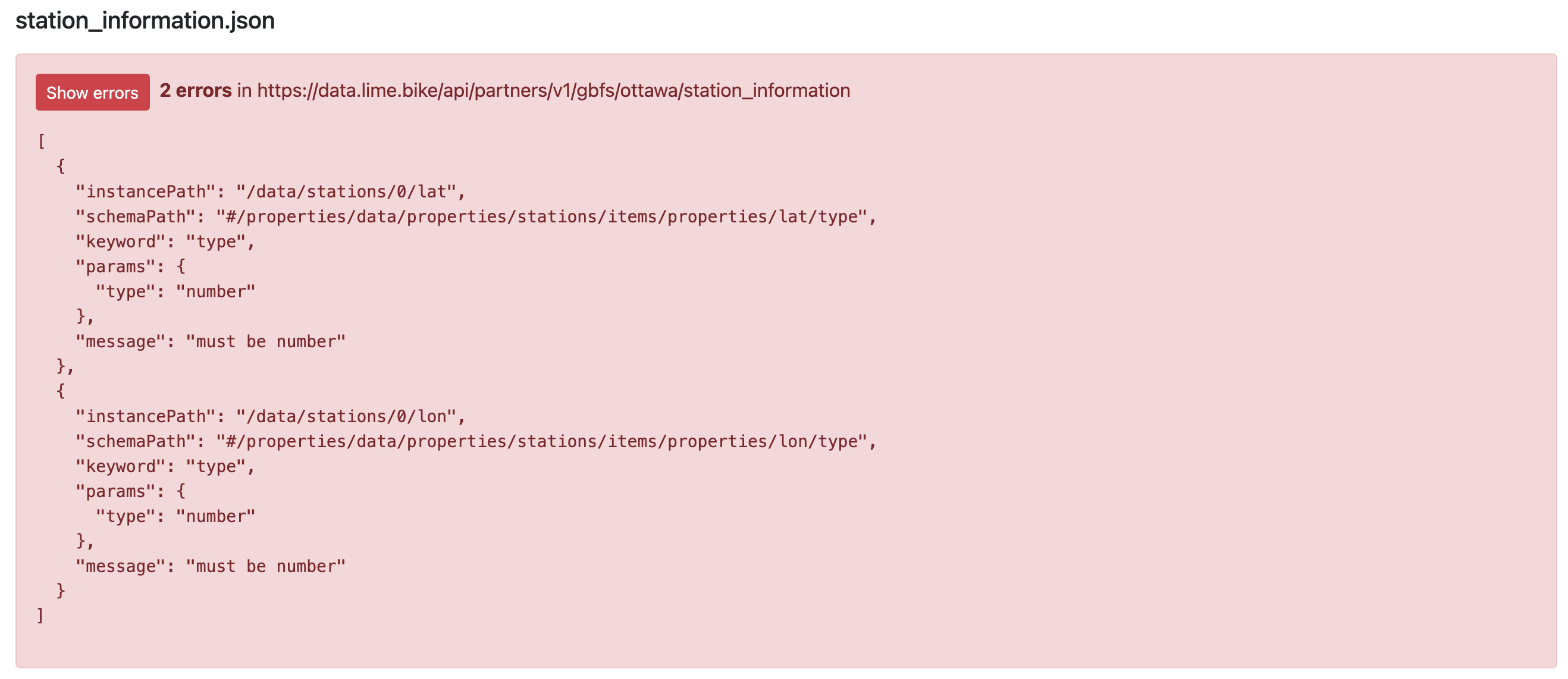
See examples for wrong field types below
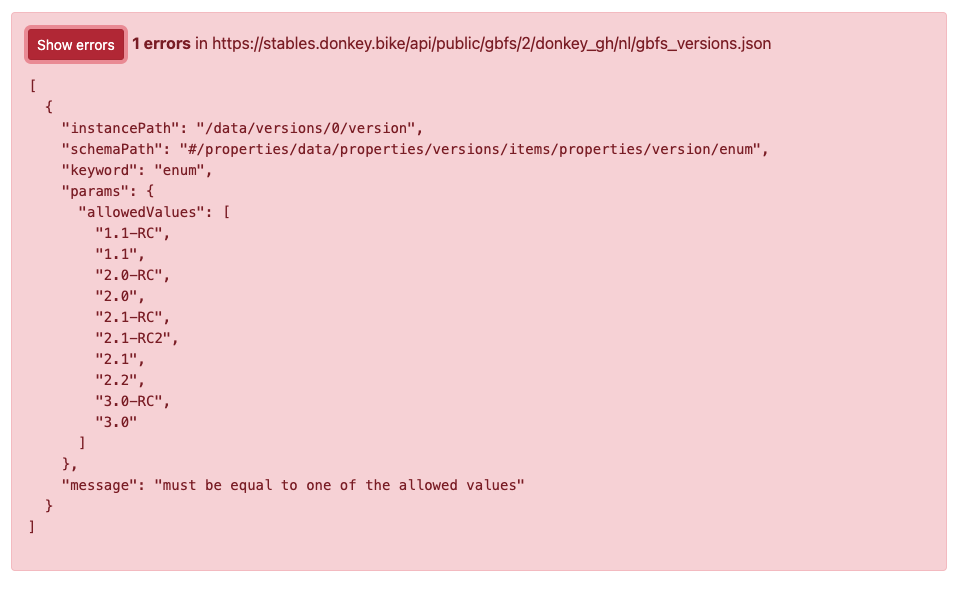
Wrong enum value:
Wronf field type: