A production-ready mobile SaaS template built with React Native, Expo, and Supabase. This template provides a complete mobile application with authentication, file management, task management, and internationalization support.
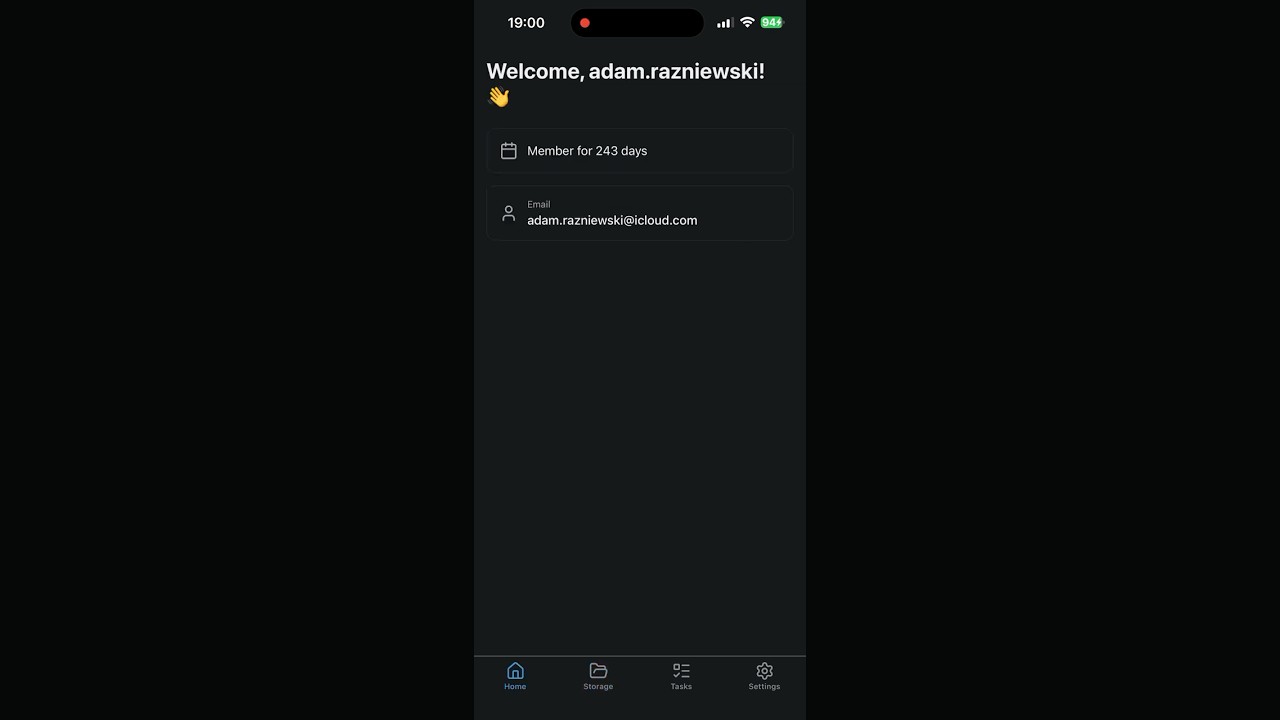
- iOS - Full native support
- Android - Full native support
- Shared Backend - Powered by Supabase
- Email/Password authentication
- Multi-factor authentication (MFA/2FA) with TOTP
- QR code enrollment for authenticator apps
- Password reset via email
- Email verification
- Deep link handling for password reset
- Persistent sessions
- User profile display
- Password change functionality
- MFA device management
- Multiple MFA device support
- User settings and preferences
- Secure file upload with document picker
- Drag and drop support
- File sharing with time-limited URLs
- File download
- File deletion with confirmation
- Progress indicators
- Maximum file size: 50MB
- Create, read, update, delete tasks
- Task filtering (All/Active/Completed)
- Mark tasks as urgent
- Mark tasks as done
- Task descriptions
- Real-time updates
- Row-level security
- Supported Languages:
- English (en)
- Polish (pl)
- Chinese Simplified (zh)
- Automatic device language detection
- In-app language switching
- Persistent language preferences
- Language selector on login/register screens
- All screens fully translated
- Tab-based navigation with icons
- Safe area support for all devices
- Loading states and spinners
- Error handling with alerts
- Success notifications
- Native modal dialogs
- Themed color scheme
- Responsive layouts
- React Native 0.81.4
- Expo SDK 54
- React 19.1.0
- Expo Router 6.0.8 (file-based routing)
- React Navigation (bottom tabs)
- Supabase (Authentication, Database, Storage)
- @supabase/supabase-js 2.58.0
- Lucide React Native (icons)
- React Native QRCode SVG (MFA QR codes)
- React Native Safe Area Context
- i18next 25.5.2
- react-i18next 16.0.0
- expo-localization 17.0.7
- Expo Document Picker 14.0.7
- Expo Clipboard 8.0.7
- Expo Sharing 14.0.7
- Expo Web Browser 15.0.7
- React hooks (useState, useEffect, useContext)
- AsyncStorage for persistent storage
- Node.js 18+
- Yarn or npm
- Expo CLI
- iOS Simulator (Mac) or Android Emulator
- Supabase project
First, set up your Supabase backend following the main repository README. You need:
- Supabase Project URL
- Supabase Anon Key
- Migrations applied
- Storage bucket configured
- RLS policies enabled
cd supabase-expo-template
yarn installCreate a .env file in the root directory:
EXPO_PUBLIC_SUPABASE_URL=https://your-project.supabase.co
EXPO_PUBLIC_SUPABASE_ANON_KEY=your-anon-key-hereEdit app.json:
{
  "expo": {
    "name": "Your App Name",
    "slug": "your-app-slug",
    "scheme": "yourappscheme",
    "ios": {
      "bundleIdentifier": "com.yourcompany.yourapp"
    },
    "android": {
      "package": "com.yourcompany.yourapp"
    }
  }
}
Important: The scheme value is used for deep linking (password reset). Update it to match your app.
In your Supabase dashboard, add these redirect URLs:
yourappscheme://reset-password(replace with your actual scheme)
Or update supabase/config.toml:
[auth]
additional_redirect_urls = ["yourappscheme://reset-password"]# Start development server
npx expo start
# Run on iOS simulator
npx expo run:ios
# Run on Android emulator
npx expo run:android
# Or scan QR code with Expo Go appsupabase-expo-template/
├── app/ # App screens (Expo Router)
│ ├── (app)/ # Authenticated app screens
│ │ ├── _layout.tsx # Tab navigation
│ │ ├── index.tsx # Home screen
│ │ ├── settings.tsx # Settings screen
│ │ ├── storage.tsx # File management
│ │ └── tasks.tsx # Task management
│ ├── (auth)/ # Authentication screens
│ │ ├── _layout.tsx # Auth stack layout
│ │ ├── login.tsx # Login screen
│ │ ├── register.tsx # Registration screen
│ │ ├── forgot-password.tsx # Password reset request
│ │ ├── reset-password.tsx # Password reset form
│ │ ├── two-factor.tsx # 2FA verification
│ │ └── verify-email.tsx # Email verification
│ ├── _layout.tsx # Root layout
│ └── index.tsx # Initial route
├── components/ # Reusable components
│ ├── MFASetup.tsx # MFA enrollment component
│ └── ui/ # UI components
│ ├── alert.tsx
│ ├── button.tsx
│ ├── card.tsx
│ └── input.tsx
├── constants/
│ └── theme.ts # Theme colors
├── hooks/ # Custom hooks
│ └── use-color-scheme.ts
├── lib/ # Utilities
│ ├── i18n.ts # i18n configuration
│ ├── storage.ts # AsyncStorage wrapper
│ ├── supabase.ts # Supabase client
│ └── types.ts # TypeScript types
├── locales/ # Translation files
│ ├── en.json # English
│ ├── pl.json # Polish
│ └── zh.json # Chinese
├── app.json # Expo configuration
├── package.json
└── tsconfig.json
- User enters email and password
- App checks for MFA requirement
- If MFA enabled → redirect to 2FA screen
- If no MFA → redirect to app
- User enters email and password
- User accepts terms and privacy policy (required)
- Account created
- Email verification sent
- User redirected to verify-email screen
- User requests password reset
- Email sent with reset link containing tokens
- User clicks link:
yourappscheme://reset-password#access_token=...&refresh_token=... - App intercepts deep link in
app/_layout.tsx - Tokens extracted from hash fragment
- Session established via
supabase.auth.setSession() - User redirected to reset-password screen
- New password set
- Redirect to app
- User navigates to Settings → MFA
- User provides device name
- QR code displayed
- User scans with authenticator app (Google Authenticator, Authy, etc.)
- User enters 6-digit code
- Factor verified and enrolled
- Multiple devices can be enrolled
- Create translation file:
# Create new file in locales/
touch locales/es.json- Add translations:
{
  "auth": {
    "login": "Iniciar sesión",
    "register": "Registrarse",
    ...
  },
  ...
}- Import in
lib/i18n.ts:
import es from '../locales/es.json'

i18n.use(initReactI18next).init({
  resources: {
    en: { translation: en },
    pl: { translation: pl },
    zh: { translation: zh },
    es: { translation: es }, // Add here
  },
  ...
})- Add to language selector UI in
app/(auth)/login.tsxandapp/(auth)/register.tsx
{
  "auth": { /* Authentication screens */ },
  "home": { /* Home screen */ },
  "app": { /* App navigation */ },
  "storage": { /* File management */ },
  "tasks": { /* Task management */ },
  "mfa": { /* MFA screens */ },
  "settings": { /* Settings screen */ }
}# Configure EAS
eas build:configure
# Build for iOS
eas build --platform ios --profile production
# Submit to App Store
eas submit --platform ios# Build for Android
eas build --platform android --profile production
# Submit to Google Play
eas submit --platform androidEdit eas.json to configure build profiles:
{
  "build": {
    "development": {
      "developmentClient": true,
      "distribution": "internal"
    },
    "preview": {
      "distribution": "internal"
    },
    "production": {}
  }
}
See Expo EAS Build documentation for details.
Edit constants/theme.ts:
export const Colors = {
  light: {
    text: '#11181C',
    background: '#fff',
    tint: '#0a7ea4', // Primary color
    icon: '#687076',
  },
  dark: {
    text: '#ECEDEE',
    background: '#151718',
    tint: '#fff',
    icon: '#9BA1A6',
  },
};- Update
app.json:
{
  "expo": {
    "name": "Your App Name",
    "icon": "./assets/images/icon.png",
    "splash": {
      "image": "./assets/images/splash-icon.png"
    }
  }
}- Replace icon files in
assets/images/
Edit app/(app)/_layout.tsx to customize tabs:
<Tabs.Screen
  name="your-screen"
  options={{
    title: t('app.yourScreen'),
    tabBarIcon: ({ color, size }) => <YourIcon size={size} color={color} />,
  }}
/>Contributions welcome! Please:
- Follow existing code style
- Add tests for new features
- Update documentation
- Test on both iOS and Android
This project is licensed under the Apache License - see the LICENSE file for details.
If you find this template helpful:
- Give it a star ⭐️
- Buy me a coffee