Run Pi in a local browser with multi-session tabs, streaming output, model controls, file uploads, Git workflows, and optional companion features.




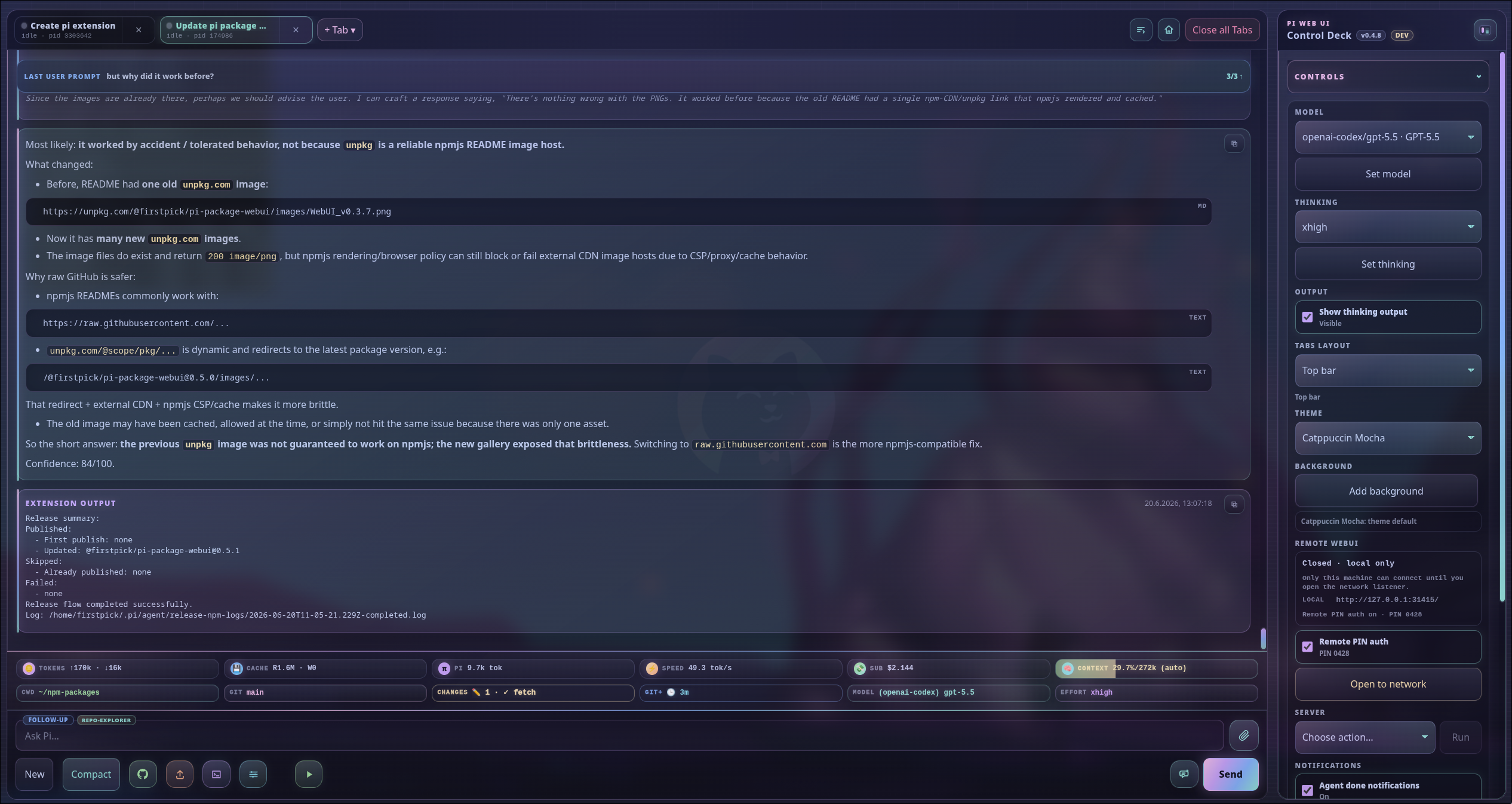
Optional feature needed: None — the main window is included in Pi Web UI core. Companion widgets appear only when their packages are installed.
Pi Web UI keeps the normal Pi agent experience while giving you more room to manage sessions, inspect work, and control common workflows. It listens on localhost by default, runs alongside Pi, and can be opened from Pi or with a standalone launcher.
| Area | Highlights |
|---|---|
| Sessions and workspaces | Run several isolated Pi sessions, resume prior work, switch projects, preserve per-tab drafts, and create branch worktrees. |
| Live agent work | Follow streaming Markdown, thinking, tool output, queues, todo progress, subagents, and context usage without leaving the browser. |
| Models and controls | Change models and thinking effort, manage scoped models, configure tools and skills, and use the command palette. |
| Files and prompts | Upload or paste files and images, edit text attachments, use slash-command suggestions, and reference project paths with @. |
| Git workflows | Inspect changes, switch branches, review diffs, stage work, generate commit messages, push, and prepare pull requests through guided steps. |
| Project utilities | Launch detected app runners, manage working directories, search files and transcripts, and customize themes. |
| Companion features | Add stats, remote access, voice, /btw, richer Git status, themes, release tools, and other supported Pi packages. |
| Desktop and mobile | Use a full desktop workspace or a compact phone layout with touch-friendly navigation and controls. |
- Node.js 22.19 or newer
- Pi coding agent installed and configured
- A modern browser
pi install npm:@firstpick/pi-package-webuiRestart Pi, then run:
/webui-start
Open the printed address, usually http://127.0.0.1:31415/. The browser normally opens automatically.
Check the server at any time with:
/webui-status
/webui-status detailed
- Start the Web UI with
/webui-start. - Confirm the working directory in the footer or choose another project.
- Select a model and thinking effort.
- Enter a prompt, attach context if needed, and follow the live response.
- Open the side panel for sessions, Git, app runners, themes, updates, and optional features.
Useful shortcuts:
Ctrl/Cmd+Kopens the command palette.Ctrl/Cmd+Lopens the model selector.Ctrl/Cmd+Fsearches the active file, transcript, or subagent output and highlights every match.Alt+Enterqueues the composer as a follow-up.- Hold
Escto abort active work.
Screenshots below show the v0.4.8 interface. Newer releases may contain additional controls while keeping the same core workflows.

Optional feature needed: None — included in Pi Web UI core.
See the active project, model, context, Git state, queue, sessions, and common actions in one place.
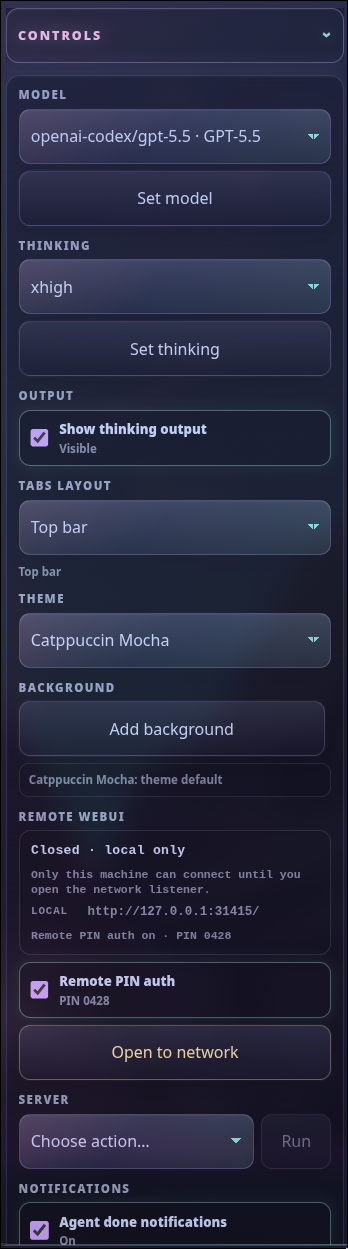
Optional feature needed: None — the control panel is included in Pi Web UI core. Companion-specific sections require their corresponding packages.
Manage the current session, workspace, model, theme, notifications, updates, usage, and optional packages.
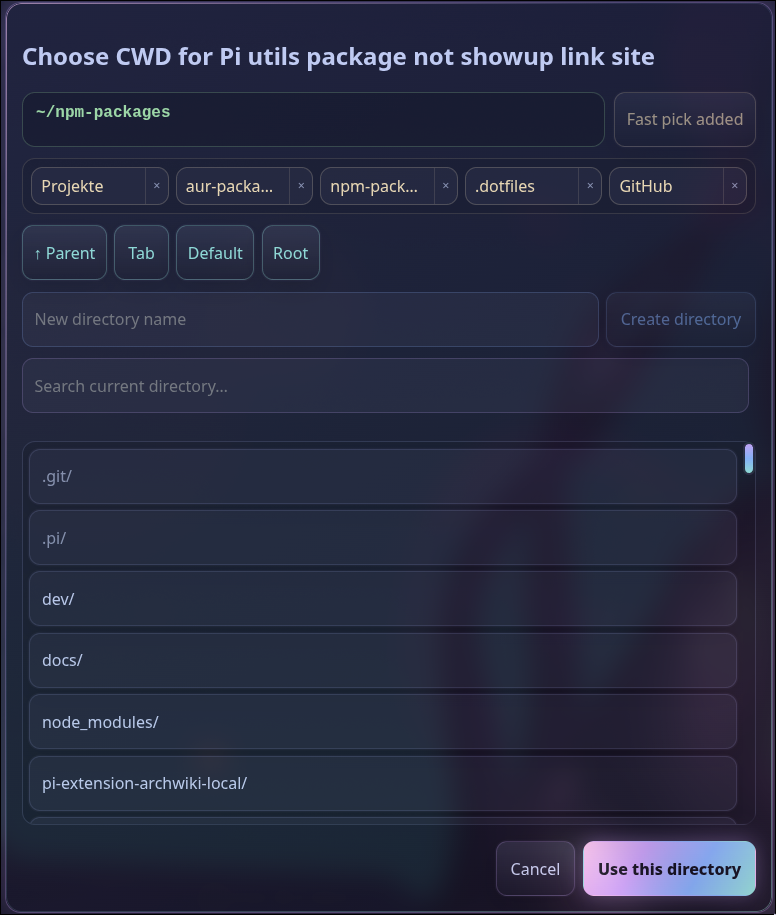
Optional feature needed: None — included in Pi Web UI core.
Browse, search, save, or create project directories and open them in the active Pi tab.
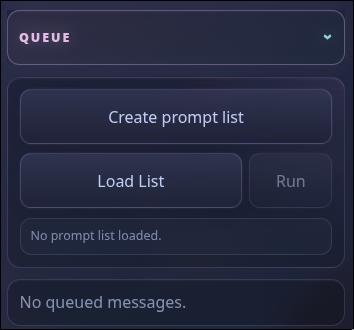
Optional feature needed: None — queues and prompt lists are included in Pi Web UI core.
Review follow-ups, steering messages, user-bash work, and prompt lists while a tab is busy.
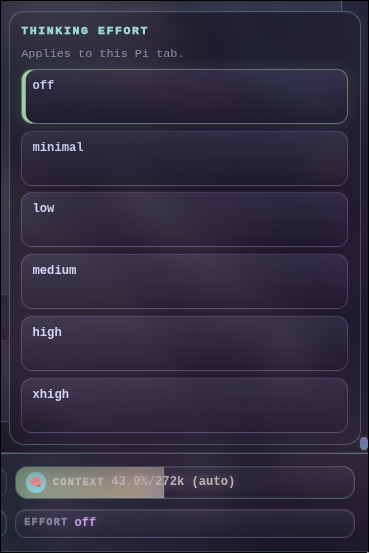
Optional feature needed: None — included in Pi Web UI core.
Choose the supported reasoning effort before sending the next prompt.
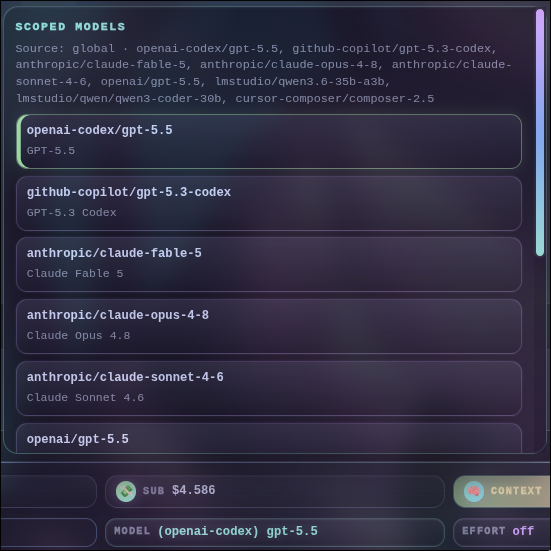
Optional feature needed: None — included in Pi Web UI core.
Search available models and control project or global model scope and cycling order.
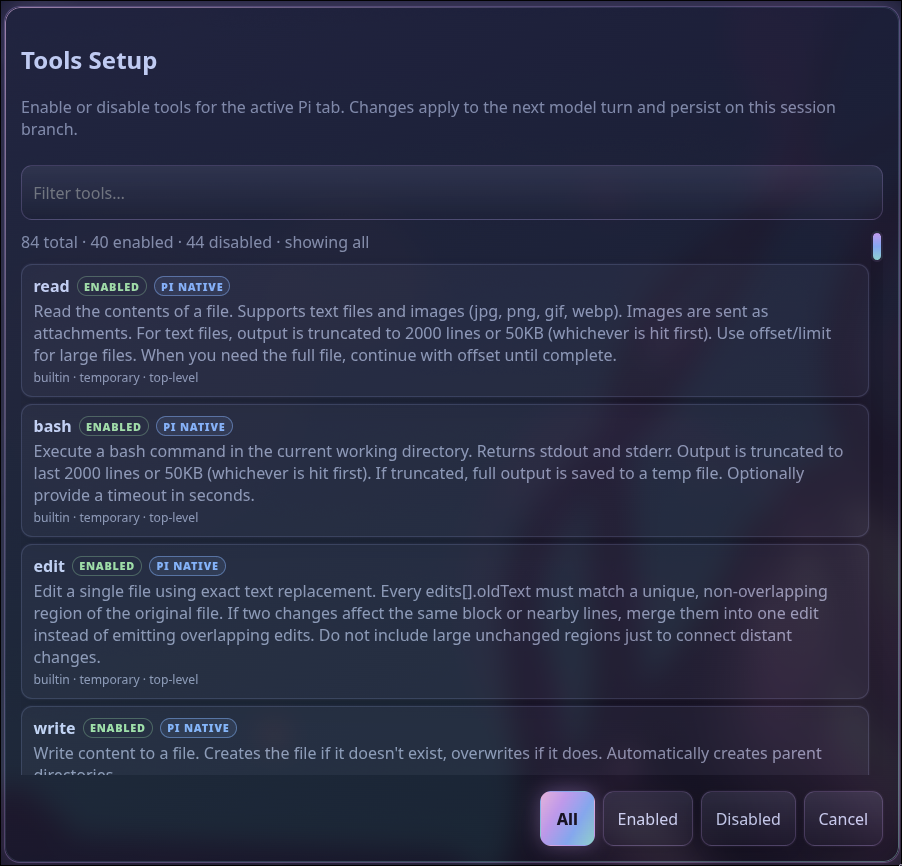
Optional feature needed: None — the browser tools setup is included in Pi Web UI core.
Enable tools for the current session or save the allowlist inherited by future sessions.
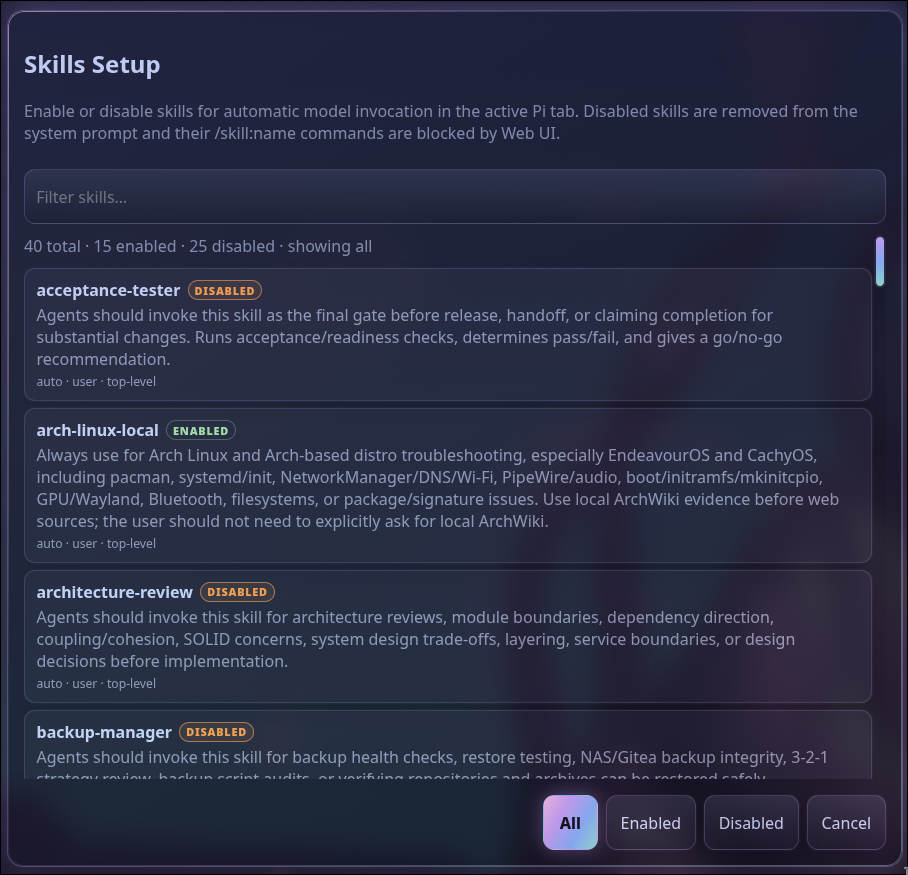
Optional feature needed: None — the browser skills setup is included in Pi Web UI core.
Find installed skills and manage session-specific or global activation.
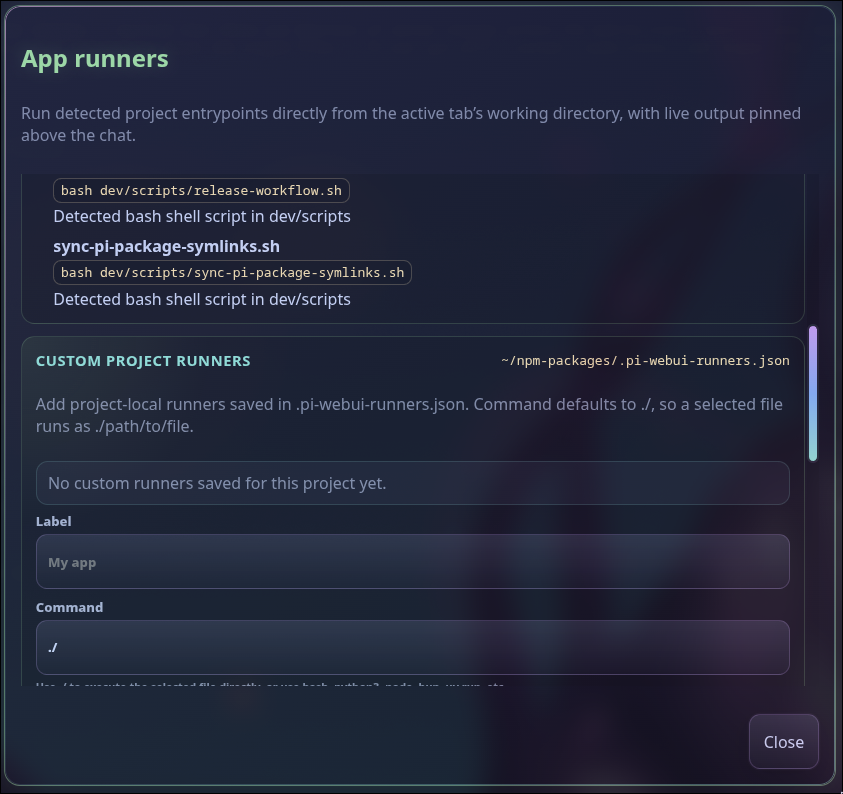
Optional feature needed: None — app runners are included in Pi Web UI core.
Launch detected development servers, tests, builds, scripts, and project-defined runners with pinned live output. ANSI colors are rendered safely, while progress written with carriage returns updates in place instead of filling the log with duplicate status lines.
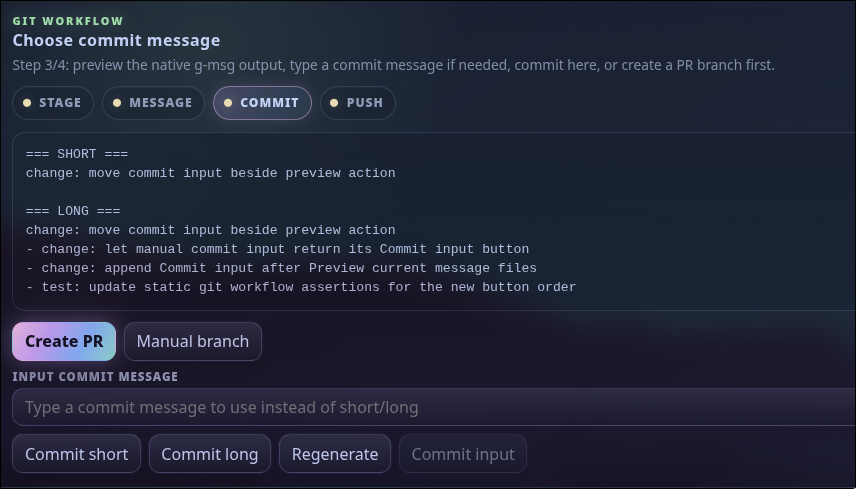
Optional feature needed: @firstpick/pi-prompts-git-pr for generated commit messages, branch names, and pull-request content. @firstpick/pi-extension-aur-review optionally adds the staged-review gate.
Move through review, staging, commit-message generation, commit, push, and pull-request steps with explicit confirmations.
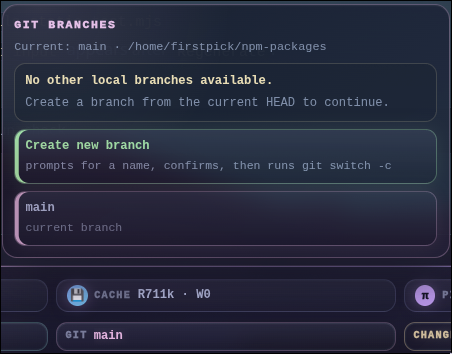
Optional feature needed: None — branch and worktree controls are included in Pi Web UI core.
Switch branches, create a branch, or create a parallel branch worktree for isolated work.
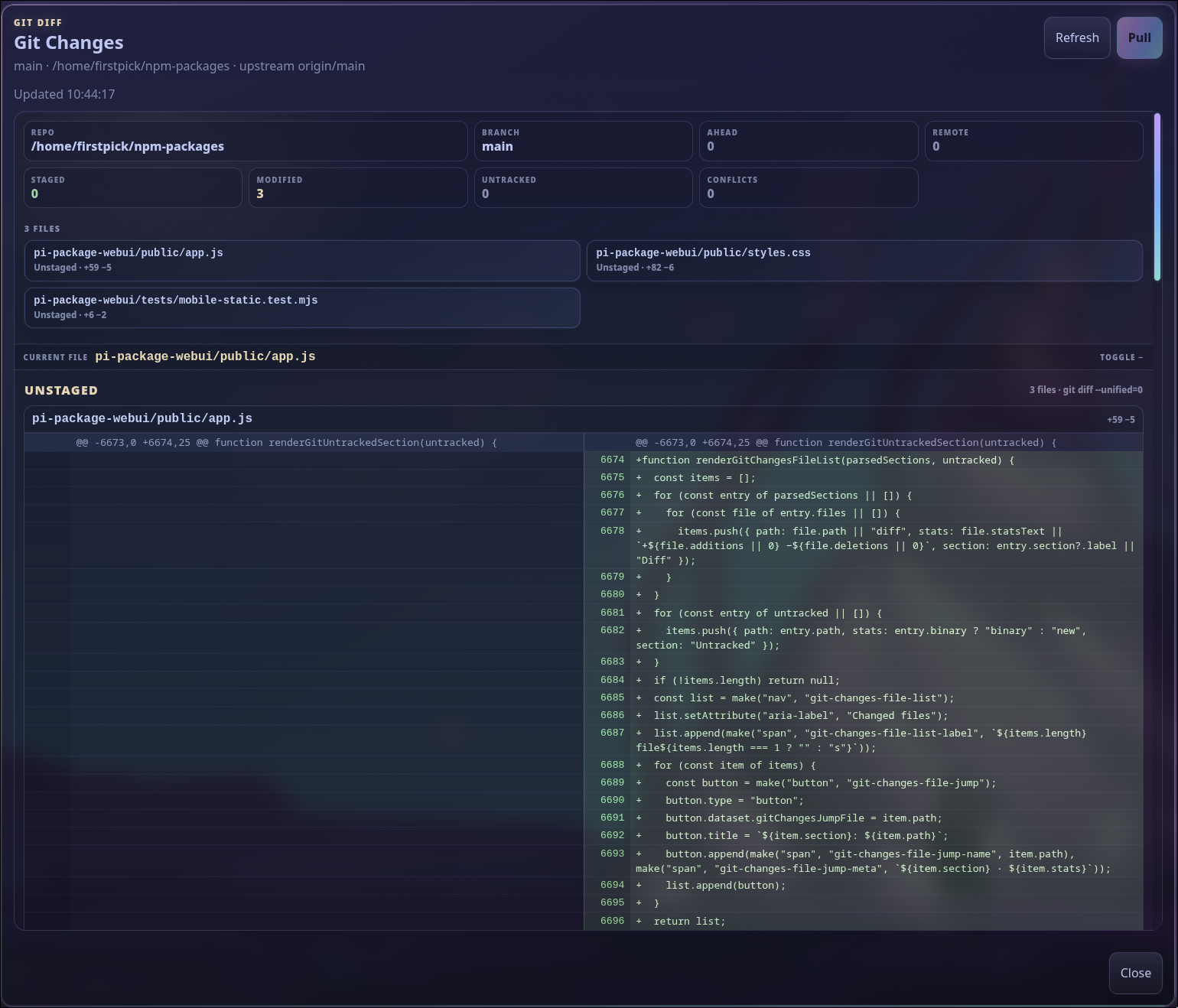
Optional feature needed: None — the Git status and diff viewer are included in Pi Web UI core.
Inspect staged, unstaged, untracked, and incoming changes before asking Pi to commit or publish them.
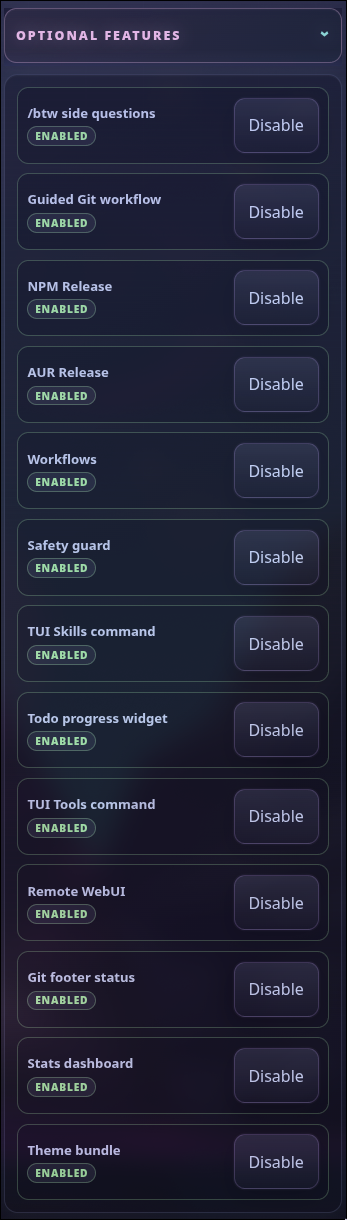
Optional feature needed: None — the package manager panel is included in Pi Web UI core; each listed companion is installed separately.
Install, update, enable, disable, or configure supported companion packages from one panel.

Optional feature needed: @firstpick/pi-extension-btw.
Ask a quick side question without derailing the main agent flow, then transfer useful context back when needed.
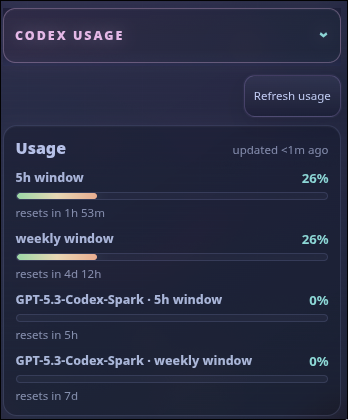
Optional feature needed: None for usage reporting — included in Pi Web UI core for supported Codex authentication. The Normal/Fast selector requires @firstpick/pi-extension-codex-fast-mode.
Monitor subscription usage windows and reset times for supported Codex models.
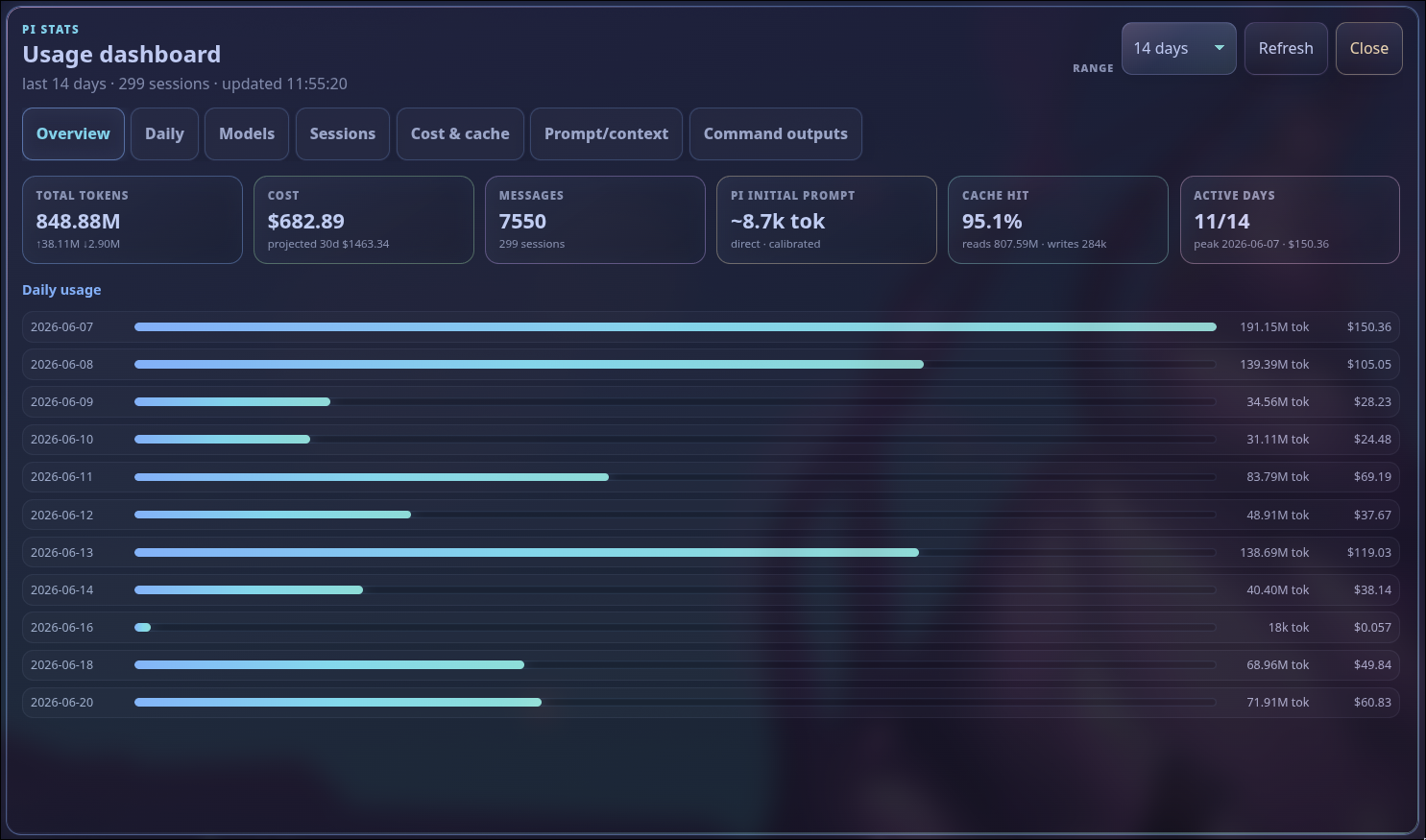
Optional feature needed: @firstpick/pi-extension-stats.
Explore token, cost, cache, model, session, and daily usage through the optional stats companion.
Open Optional features in the side panel to discover Web UI-aware companions. Configurable companions expose separate Enable/Disable and Setup actions, so configuration remains available without forcing a feature on.
Popular additions include:
- Remote Web UI for trusted-LAN access and PIN protection
- Pi stats and richer Git/footer status
- Natural Conversation Mode and voice controls
/btwside questions- Additional themes, release workflows, safety controls, and prompt tools
Optional companions are installed separately and remain governed by normal Pi package settings.
You can start the browser UI without opening terminal Pi first:
npm install -g @firstpick/pi-package-webui
pi-webui
Choose a project immediately:
pi-webui --cwd ~/src/my-projectIf you omit --cwd, the browser asks which project to open first.
Warning
Pi Web UI can do anything the connected Pi session is allowed to do. It listens only on 127.0.0.1 by default. Do not expose it directly to an untrusted network.
Use the optional Remote Web UI package when you need trusted-LAN access and PIN protection. Treat that PIN as a convenience for a trusted network, not as hardened multi-user authentication.
See TECHNICAL.md for complete commands, configuration, update and rollback behavior, session continuity, security, compatibility, mobile behavior, and troubleshooting.
Contributor-only architecture, API, and testing information lives in DEVELOPMENT.md.